
This guide demonstrates how to use the OBDSTAR Moto Master to perform the newly upgraded BMW 4D 8A programming repair function on a 2016 BMW R1200 motorcycle. This specialized repair is designed to fix engine no-start conditions and instrument cluster malfunctions caused by improper key programming or pre-processing.
Preparation & Connection
To ensure a successful repair, gather the following tools and set up the connection:
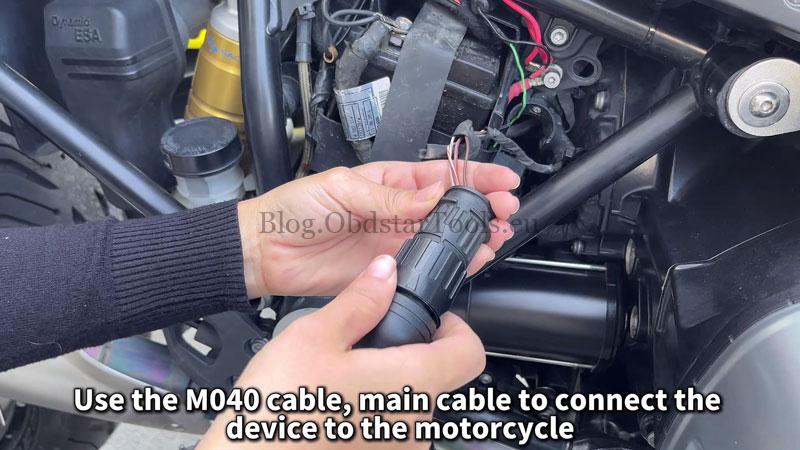
- Required Tools: OBDSTAR MotoMaster, M040 Dedicated Diagnostic Cable, and the Main cable.
- Power Support: Connect a stabilized external power supply to the motorcycle to maintain sufficient battery voltage during the process.
- Diagnostic Port: Locate the port on the right side of the vehicle and connect the MotoMaster using the M040 and Main cables.
Watch Video Tutorial:
Step-by-Step Operation Guide
1. Software Selection
Navigate the MotoMaster menu as follows:
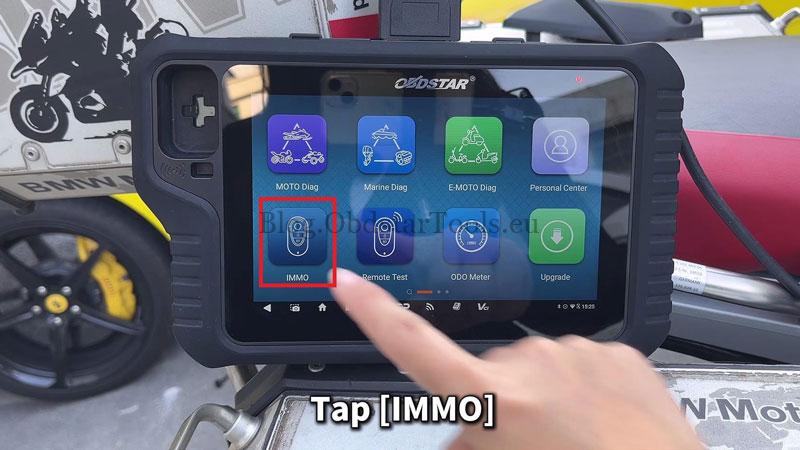
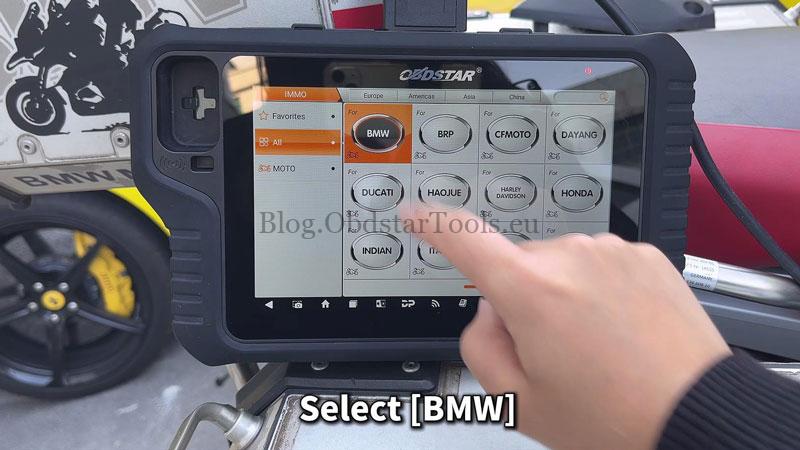
- Tap IMMO >> BMW >> Latest version
- Select Manual select system >> Proximity >> ID8A
Note: You can tap [Guide] at any time to view specific operation instructions.
2. Mandatory Data Backup
Before attempting the repair, you must back up the vehicle’s coding data:
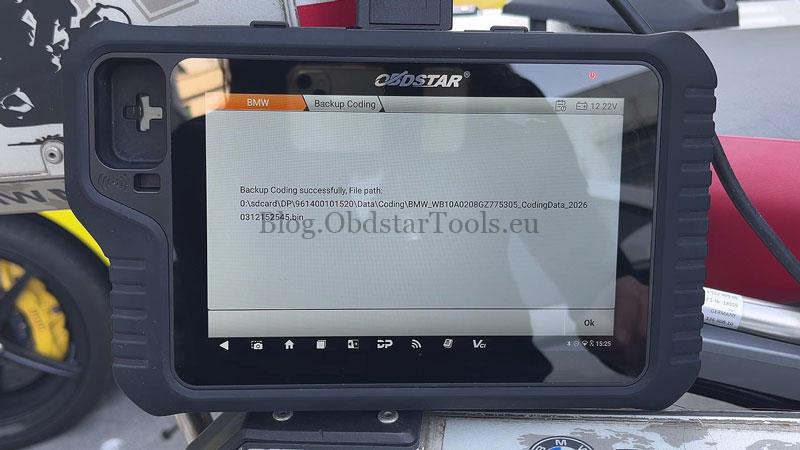
- Go to Coding Operation >> Backup Coding.
- Follow the prompts: Turn the ignition ON once and tap OK.
- Save the data file once the backup is complete.

3. Execute Programming Repair
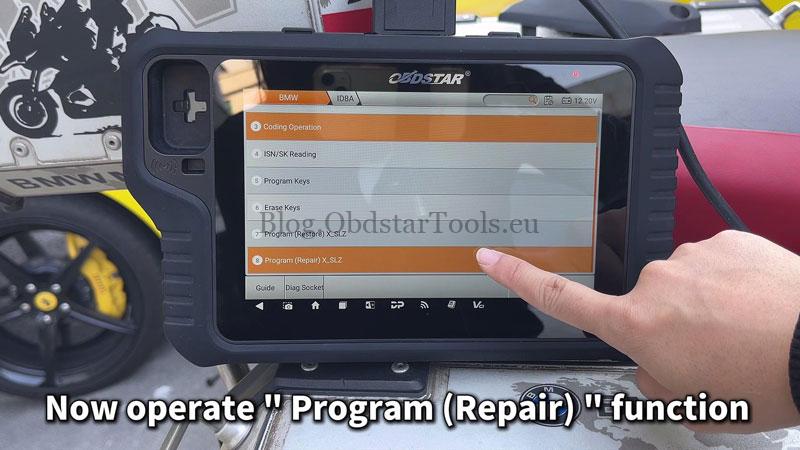
- Select the Program (Repair) function.
- The device will ask if you have backed up the coding; tap Yes.
- Confirm the battery voltage reminder by tapping Yes.
- Turn the ignition ON.
- The screen will display “Repair successful” once finished.
4. Restore Vehicle Coding
To finalize the repair, you must restore the original coding data:
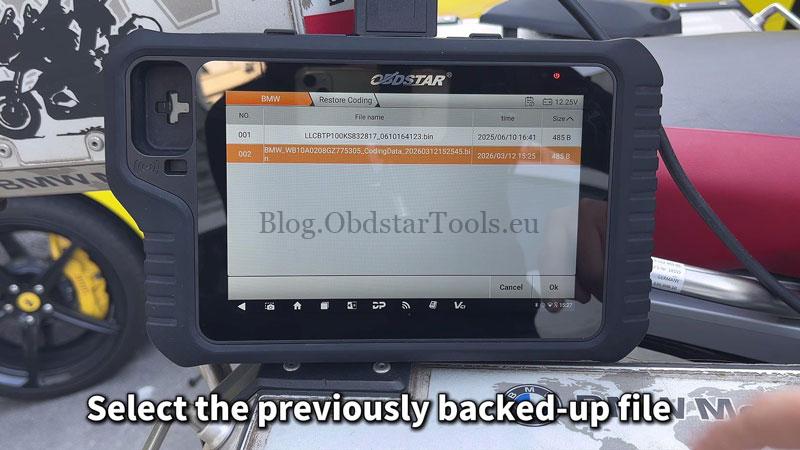
- Select Coding operation >> Restore coding.
- Choose the backup file you saved in Step 2 and tap OK.
- Keep the ignition ON and tap OK again.
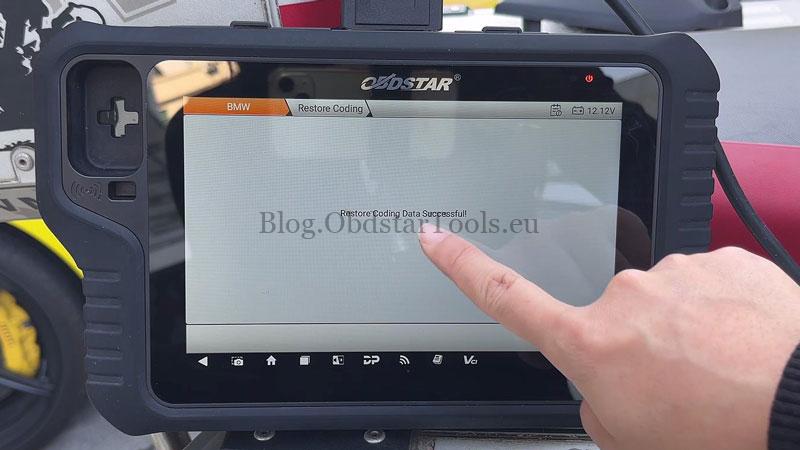
- The process is complete once the “successfully restored” message appears.

Summary Table for Quick Reference
| Action | Essential Requirement |
|---|---|
| Cable Connection | Use M040 Cable on the right side of the bike |
| Power Safety | Use a stabilized power supply |
| Data Safety | Always perform “Backup Coding” first |
| Completion | Finalize by using “Restore Coding” |
Technical Support
- Email: sales@obdstartools.eu
- WhatsApp/Mobile/Wechat: +86 15972933706
- Skype: OBDStarTools.eu
- Website: www.obdstartools.eu