
Follow this simple guide to program new proximity keys for a 2022 Ford Bronco when all keys are lost with OBDSTAR X300 Classic G3 programmer.
Before You Start
- Ensure your OBDSTAR X300 G3 is connected to the internet.
- If the vehicle’s anti-theft alarm is active, disable it first:
- Close all doors, then open the driver’s door.
- Place the new key in the card slot (or insert and turn ignition on for blade keys).
- Wait 10–15 minutes until you hear two beeps. The alarm is now disabled.
Important: Begin key programming within 1 minute.
Programming Steps
Learn on video tutorial:
- Select Vehicle:
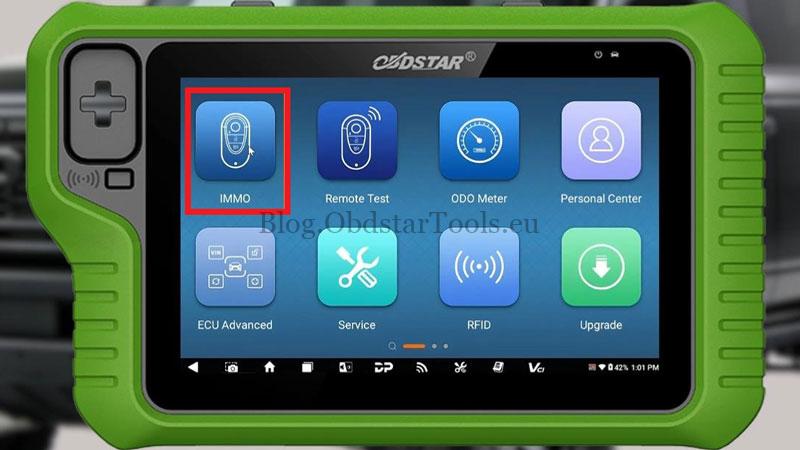
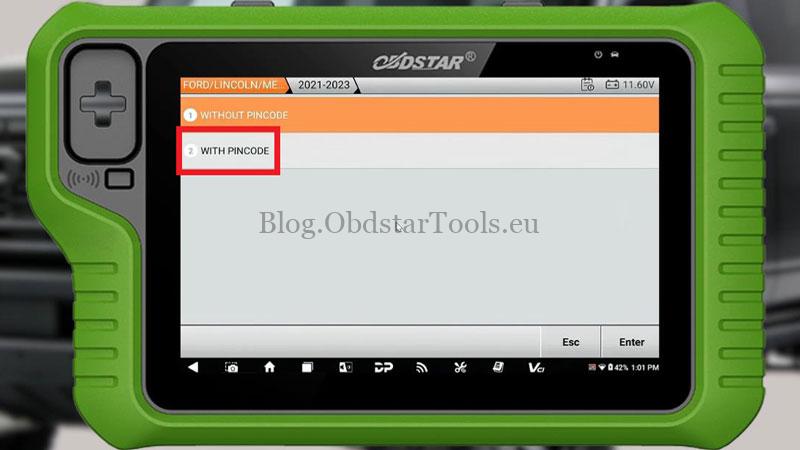
Go to: IMMO → Ford → USA-CANADA → BRONCO → PROXIMITY → 2021-2023 → WITH PINCODE → All Keys Lost.
- Prepare:
Turn the ignition ON.
You will need 2 new keys.


- Get Security Code:
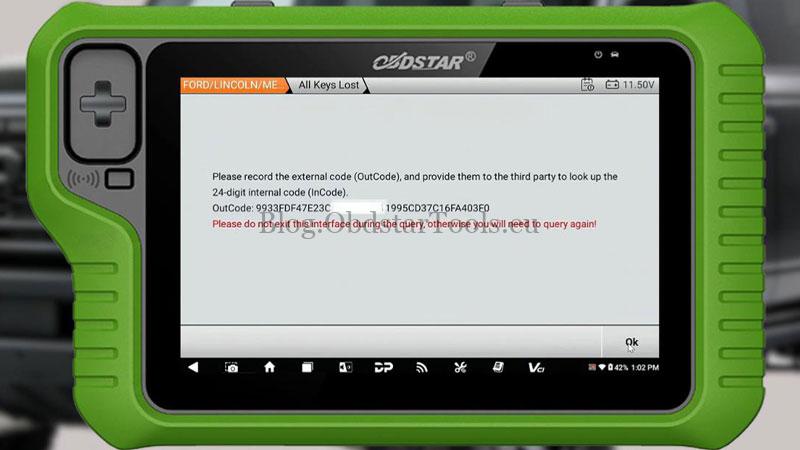
The OBDSTAR KeyMaster G3 will display an OutCode.
Provide this to your code supplier to receive a 24-digit InCode.
Do not exit the screen during this process.
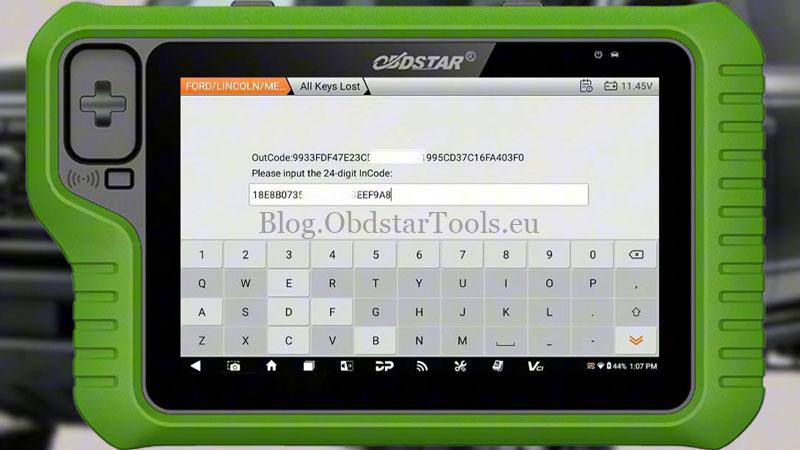
- Enter Code & Erase Old Keys:
Input the 24-digit InCode when prompted.
Confirm to erase all existing keys.
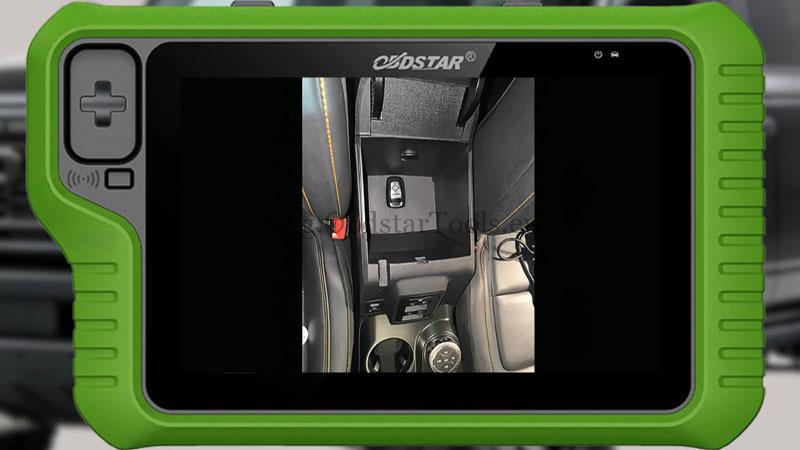
- Program First Key:
Place the first new key in one of the vehicle’s detection areas:
- Inside the center armrest
- Glove compartment
- Cup holder
Wait for “Program Success”.

- Program Second Key:
When asked “Program next one?”, select Yes.
Repeat the placement step with the second key.
- Complete:
After the second key, select No to finish.
Both keys are now ready to use.
Note: This procedure requires an active internet connection and valid security code support. Ensure all steps are performed in sequence without interruption.

Technical Support
Email: sales@obdstartools.eu
WhatsApp/Mobile/Wechat: +86 15972933706
Skype: OBDStarTools.eu