
This guide explains how to register new TPMS sensor IDs on a 2017 KTM 1290 Super Adventure T with the OBDSTAR MotoMaster Motorcycle Scanner. This process is required after sensor replacement.
What You Need
Step-by-Step Guide
- Connect & Enter Diagnosis
Connect the tool to the motorcycle’s diagnostic port.
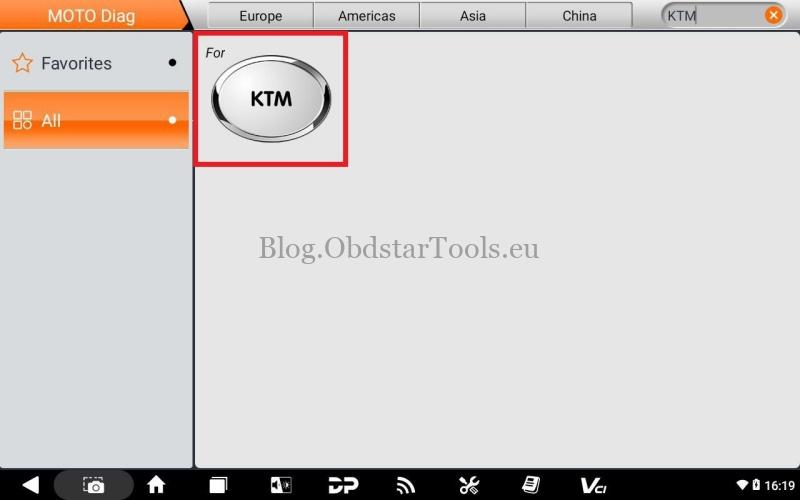
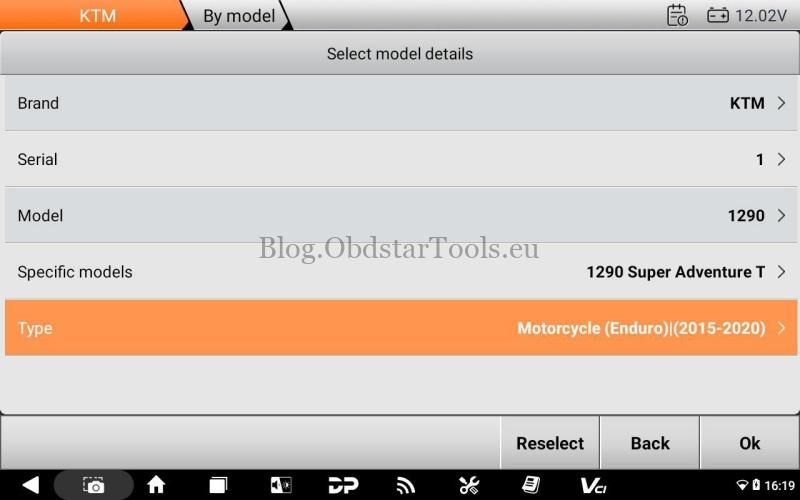
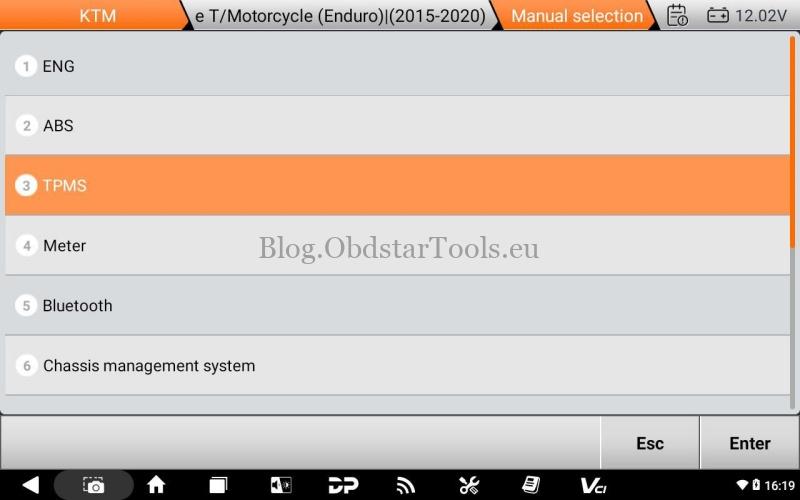
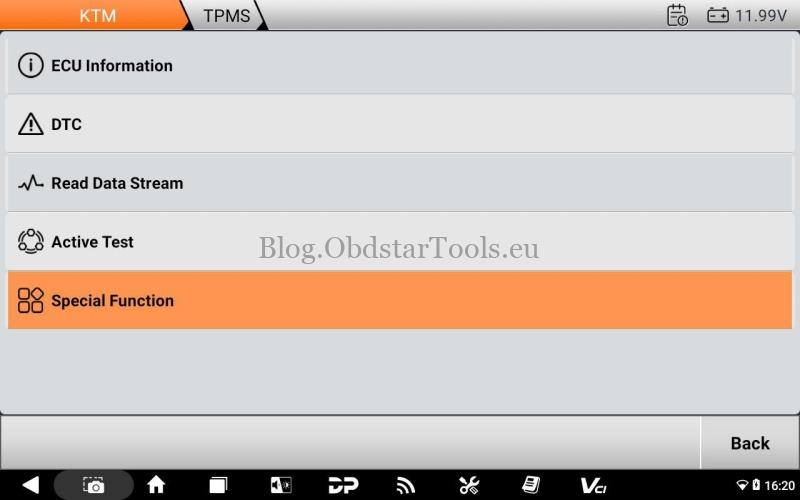
From the main menu, select:
MOTO Diag → KTM → Diagnosis → By Model → 1 → 1290 → 1290 Super Adventure T → Motorcycle (Enduro) (2015-2020) →Manual Selection → TPMS → Special Function.
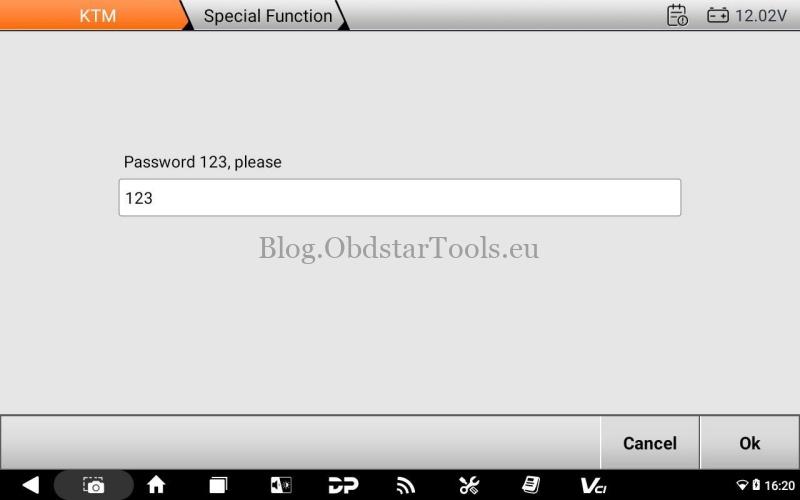
When prompted, enter password: 123.
- Start Sensor Registration
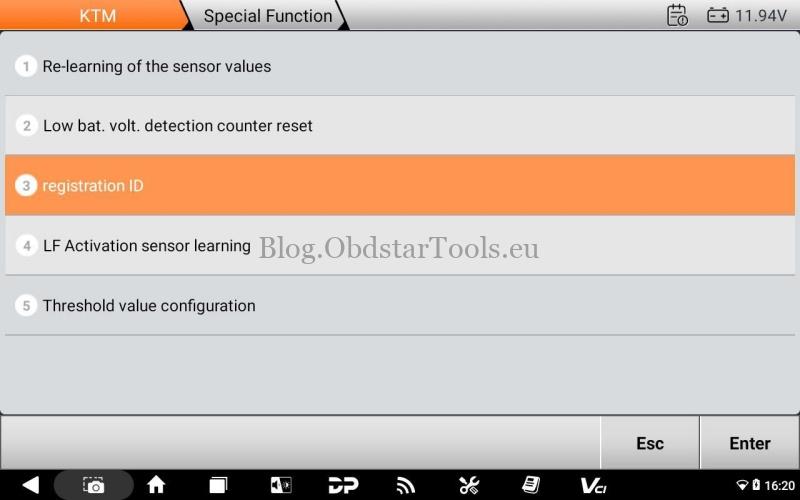
From the Special Functions menu, select Registration ID.
- Register Front Sensor
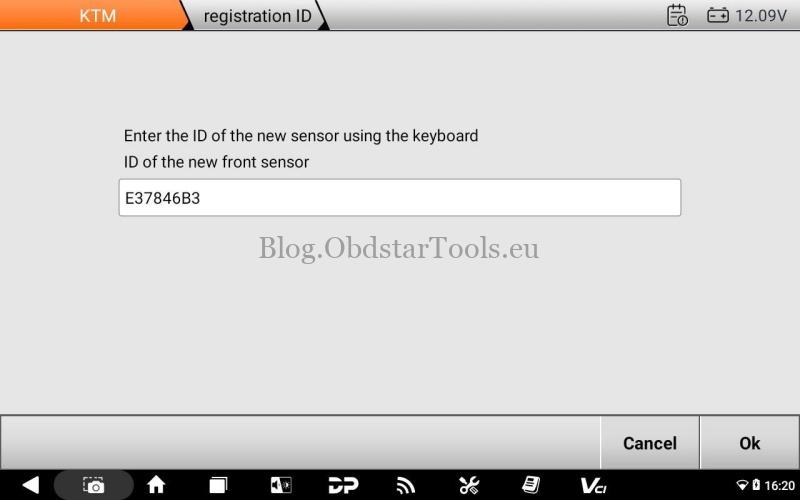
Confirm the old front sensor ID (displayed on screen).
Enter the new front sensor ID (found on sensor or packaging).
Confirm the entry.

- Register Rear Sensor
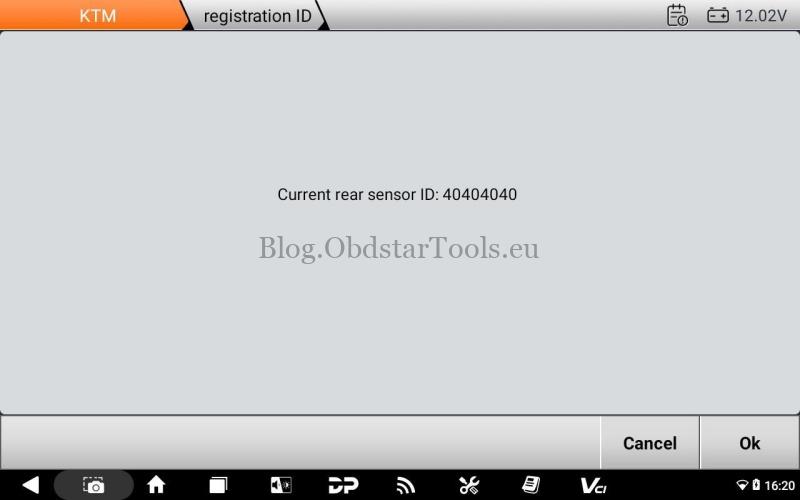
Confirm the old rear sensor ID (displayed on screen).
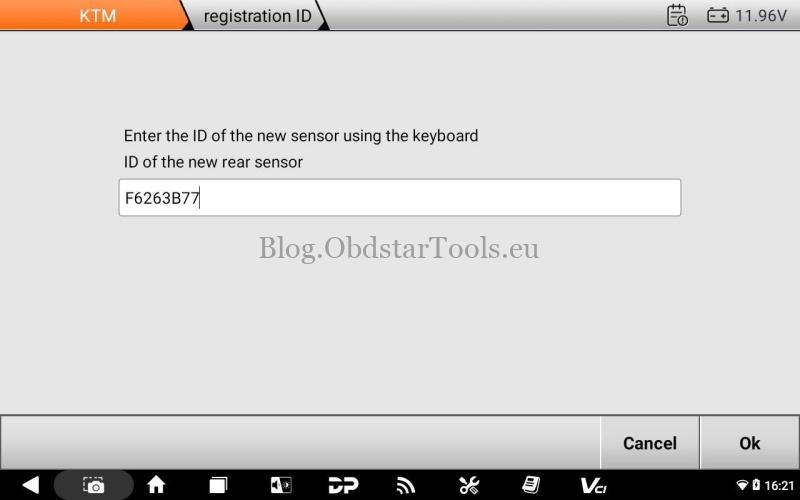
Enter the new rear sensor ID (found on sensor or packaging).
Confirm the entry.
- Complete the Process
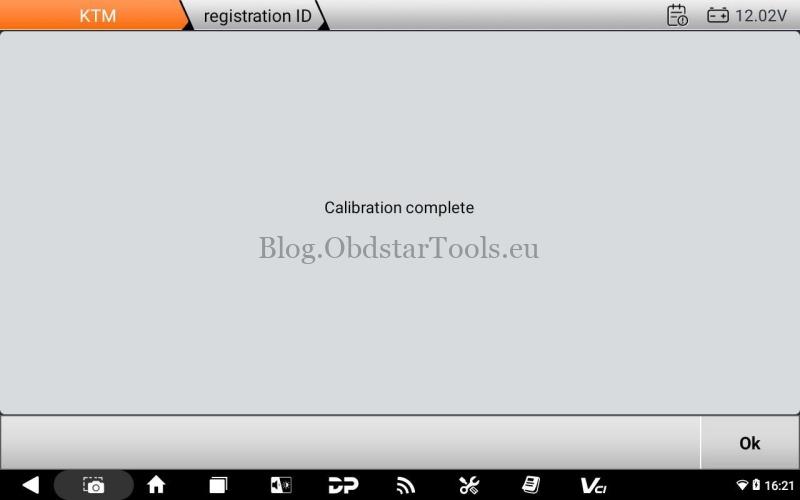
Follow the final prompts to save the settings.
The tool will display “Calibration Complete” once finished.
Important Notes
- Always verify sensor IDs before entry.
- Refer to official motorcycle service manuals for additional guidance.
- This procedure is specific to the 2017 KTM 1290 Super Adventure T; other models may vary.
Technical Support
Email: sales@obdstartools.eu
WhatsApp/Mobile/Wechat: +86 15972933706
Skype: OBDStarTools.eu