
In this guide, we’ll show you how to use the OBDSTAR X300 Classic G3 diagnostic tool to erase DTC C1009 from a 2018+ Fiat EPS (Electric Power Steering) ECU via bench.
Tools Required
OBDSTAR X300 G3 / Key Master G3
ECU Flasher License
Bench Wiring Setup
Step-by-Step Procedure
Watch full operation video:
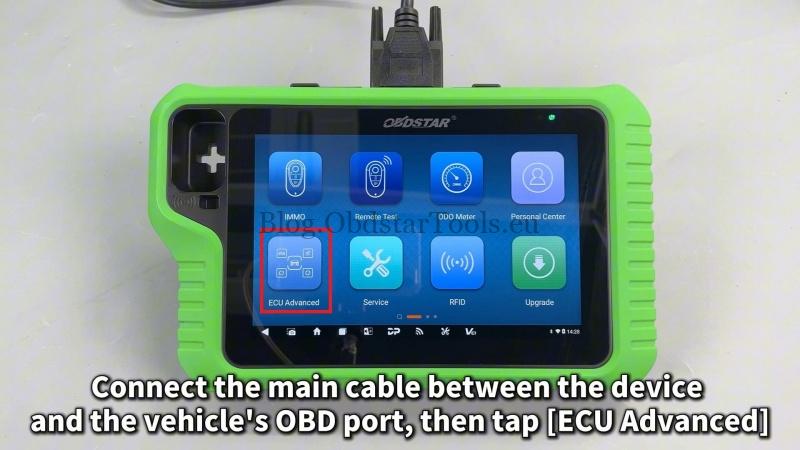
Connect the main cable between the device and the vehicle’s OBD port.
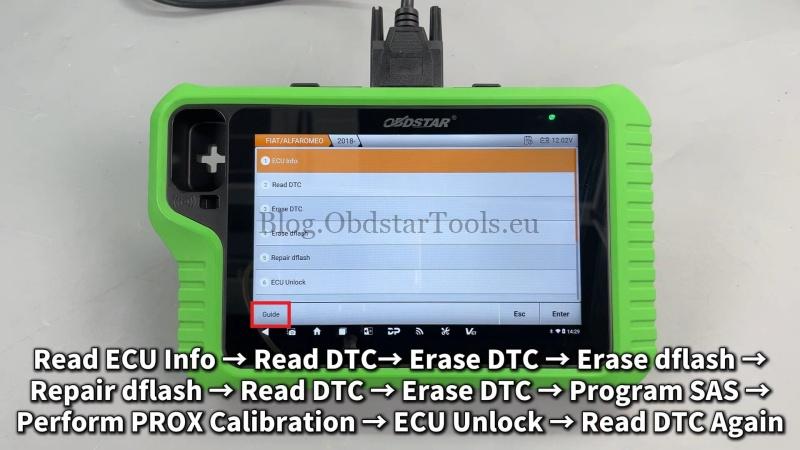
Then tap ECU Advanced >> FIAT/ALFAROMEO >> FIAT >> EPS >> 2018-
Tap [Guide] and carefully read the function introduction, menu description and operation guide.


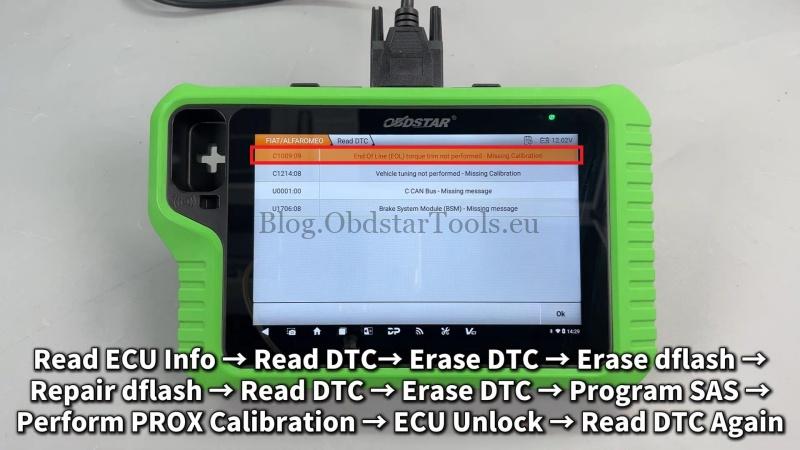
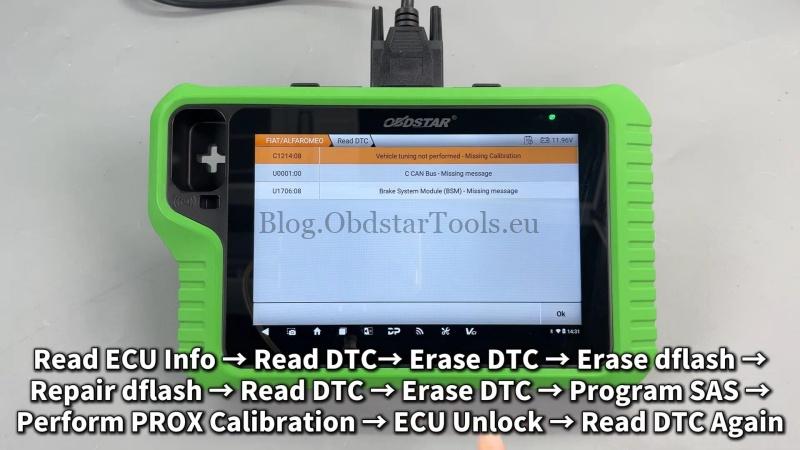
Here we can Read ECU Info and DTC, there’s a DTC:
C1009:09 – End Of Line(EOL) torque trim not performed – missing calibration.
- Erase DTC >> Erase dflash
- Repair dflash >> TYPE 1 >> OK >> Success
- Read DTC >> Erase DTC
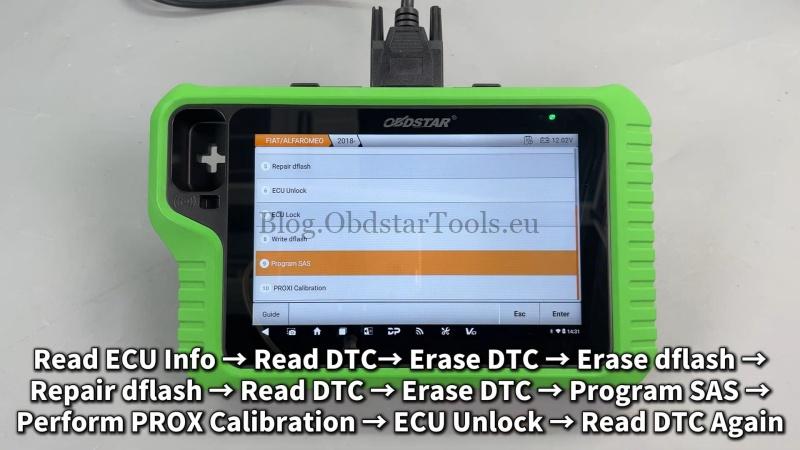
- Program SAS >> PROXI Calibration >> ECU Unlock
Return back to Read DTC again, the DTC C1009 has gone.
Summary
With the OBDSTAR X300 G3, clearing persistent EPS ECU codes like C1009 is a straightforward process – even on the bench. This tool supports advanced ECU functions for Fiat and other brands, making it a reliable choice for professional diagnostics and repairs.
Technical Support
Email: sales@obdstartools.eu
WhatsApp/Mobile/Wechat: +86 15972933706
Skype: OBDStarTools.eu