
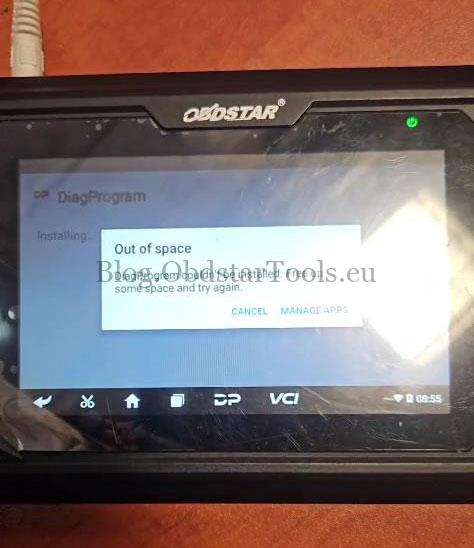
Problem: After attempting to update an OBDSTAR Odomaster device, an insufficient memory error appeared. Following a factory reset, the app no longer opens and instead displays the following messages:
“App isn’t installed.”
“Out of space. DiagProgram couldn’t be installed. Free up some space and try again.”
Solution
This fix applies to OBDSTAR 5-inch tablets, including the iScan Marine Scanner and iScan Motorcycle Scanner.
- Open ES File Explorer → Navigate to Home directory → DP → apk → Tap DP to install.
- Once installed, wait a few minutes before launching the DP application.
- If storage space remains insufficient, use a TF card (32GB or smaller) to refresh the device firmware first, then repeat the steps above.
How to Refresh OBDSTAR iScan Firmware:
For detailed instructions, visit:
Fixed: OBDSTAR iScan Ducati “Unfortunately, DiagProgram has stopped.”
Need Support?
Email: sales@obdstartools.eu
WhatsApp/Mobile/Wechat: +86 15972933706
Skype: OBDStarTools.eu