
When all keys are lost on a 2019 Peugeot 4008 with 4A smart key system, getting the immobilizer PIN is the key step before programming a new key. With the OBDSTAR KeyMaster G3 and Key Sim, this job is straightforward.
Supported 4A PIN Reading Models
The Key Sim-supported 4A PIN reading function covers:
2008, 208, 301, 3008, 308, 308S, 4008, 408, 408X, 5008, 508, 508L, BASALT, BERLINGO, C3, C3 AIRCROSS, C3 PICASSO, C4, C4 AirCross, C4 CACTUS, C4 PICASSO, C4L, C4X, C5, C5 AIRCROSS, C5X, C6, DISPATCH, DS 3, DS 5, DS 6, DS 7, DS 8, DS 9, E-2008, E-208, E-3008, E-308, E-BERLINGO, E-C3, E-C4, E-DISPATCH, E-EXPERT, E-JUMPY, E-PARTNER, E-RIFTER, E-SPACETOURER, E-TRAVELLER, EXPERT, JUMPY, PARTNER, RIFTER, SPACETOURER, TARA, TRAVELLER.
Tools Needed
- KeyMaster G3
- Main Cable
- Key Sim Simulator
- New Smart Keys
Check Video Tutorial
Read the Immobilizer PIN Code
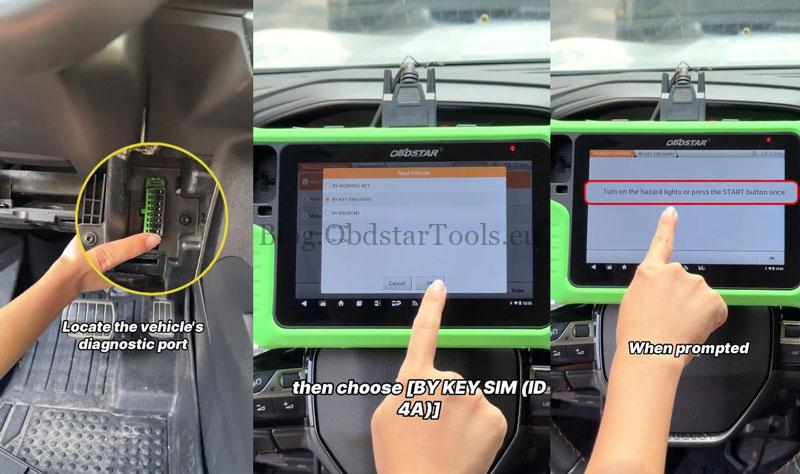
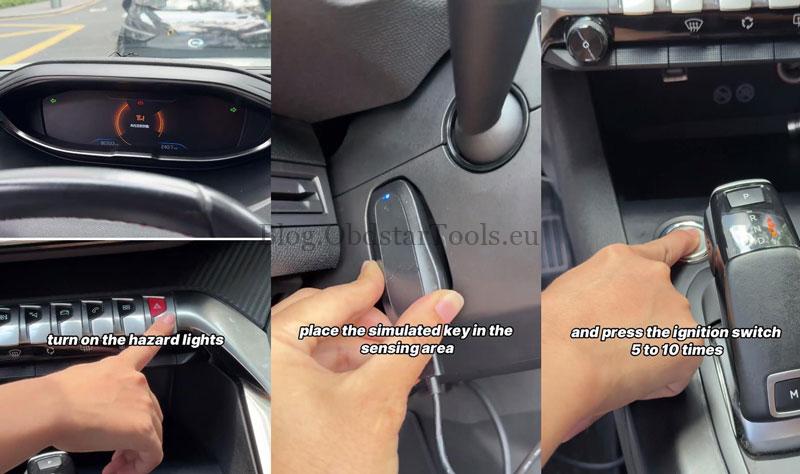
- Locate the diagnostic port below the right side of the steering wheel and connect the vehicle to the KeyMaster G3. Turn on the hazard lights or press the START button once.
- Go to: IMMO >> PEUGEOT >> Latest software version >> Read Pincode >> BY KEY SIM (ID4A)
- Connect the Key Sim Simulator to the KeyMaster G3. Once connected, place the simulated key in the sensing area and press the ignition switch 5–10 times.
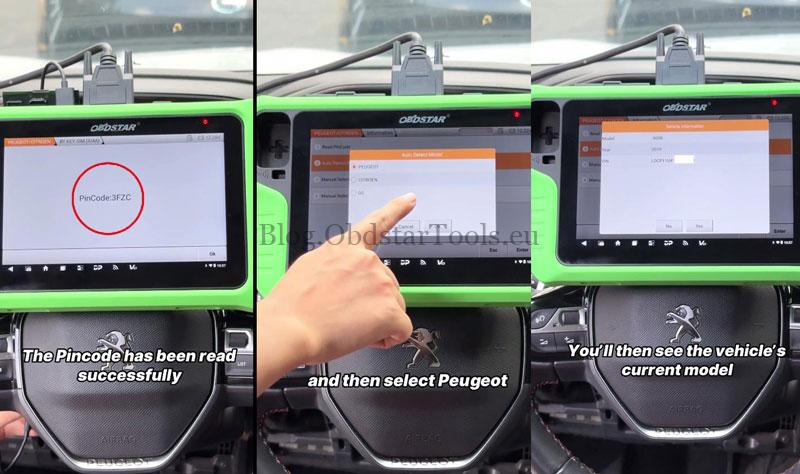
- The PIN code is displayed as 3FZC. Record the code, then remove the simulated key.
Enter the PIN & Start Key Programming
- Select Auto Detect Model >> PEUGEOT. Once the VIN is read, click OK. The device displays the vehicle model and configuration.
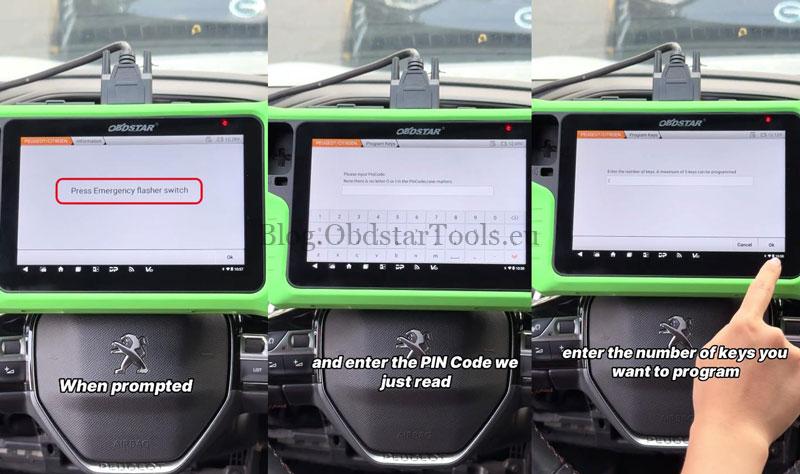
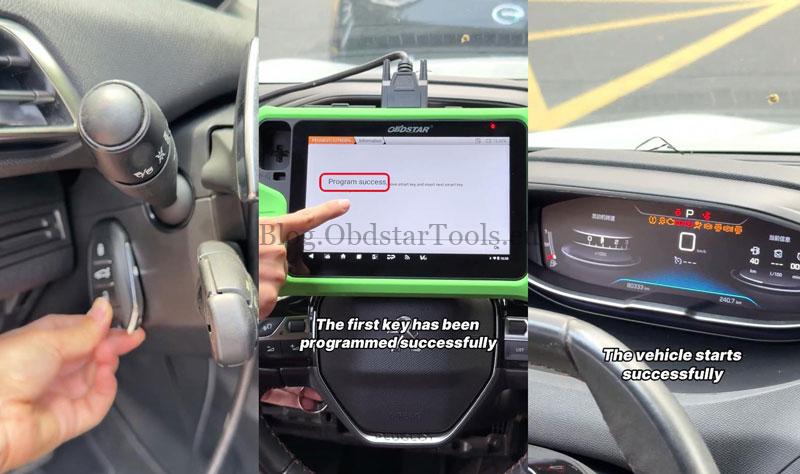
- Select PROXIMITY >> Program Keys, then press the emergency flasher switch. Enter the PIN code 3FZC and click OK after it is confirmed as correct.
- Enter the number of keys to be programmed: 2.
Program the New Smart Keys
- Place the first key into the key fob slot as instructed and click OK. The device confirms that the first key has been programmed successfully.
- Remove the first key and insert the next smart key. Press OK to continue and follow the instructions.
- Start the vehicle as instructed. The vehicle starts successfully, confirming the key programming.
Verification
Start the vehicle and confirm that the basic functions work normally with the programmed keys.
Technical Support
Email: sales@obdstartools.eu
WhatsApp/Mobile/Wechat: +86 15972933706
Skype: OBDStarTools.eu
www.obdstartools.eu