
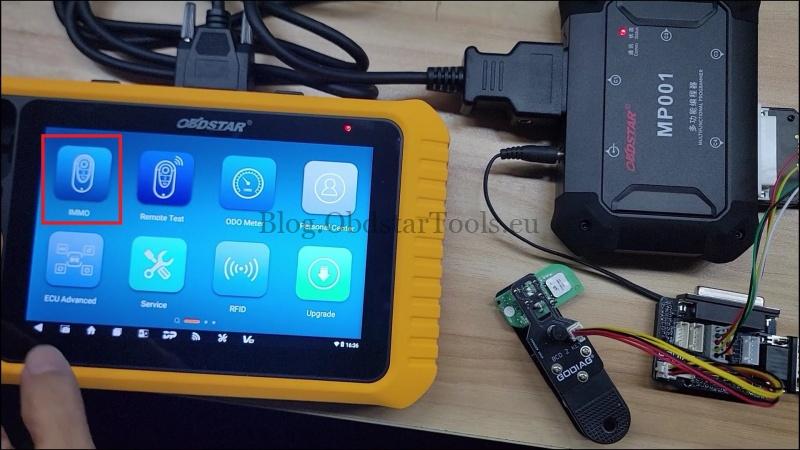
Here’s how to read and save BDC03 IMMO data from a 2020–2024 BMW 4 Series(G22/G23/G26/G82/G83) using the OBDSTAR X300 Classic G3 and C4-11 Adapter Kit 1. I use the GODIAG BMW BDC2/BDC3 Adapter for its direct, solder-free key PCB connection, which also avoids having to pry open the entire U-Key shell.
Video Tutorial
Supported Models (2020–2024)
- BMW 4 Series Coupé (G22)
- BMW 4 Series Convertible (G23)
- BMW 4 Series Gran Coupé / i4 (G26)
- BMW M4 Coupé (G82)
- BMW M4 Convertible (G83)
Immobilizer System: BMW BDC3 / BDC03
Required Tools
- OBDSTAR Key Master G3
- OBDSTAR MP001 Programmer
- OBDSTAR C4-11 Adapter Kit 1 + W017 Harness
- GODIAG BDC2/BDC3 Adapter
1. Connect the Key Using the GODIAG Adapter
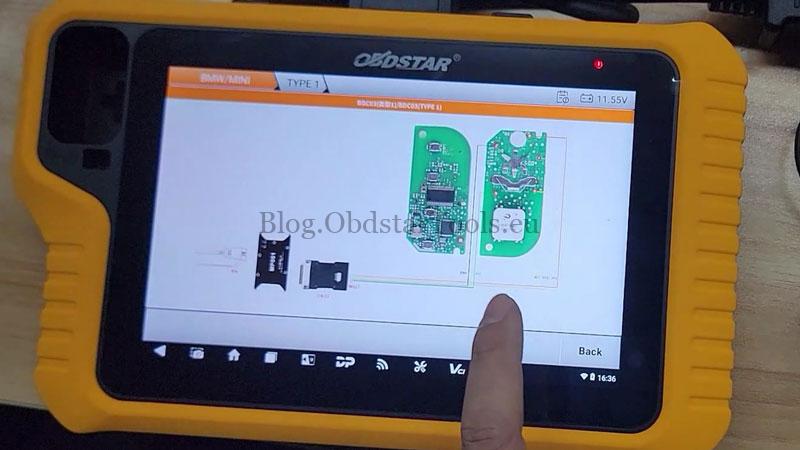
Connect the GODIAG BMW BDC2/BDC3 Adapter directly to the key PCB. No individual wire soldering is required.
For U-Keys, follow the adapter’s guided drilling and positioning method instead of prying open the entire key shell.
2. Select the BMW BDC03 Read Function
Connect the tools and follow this path on the X300 G3:
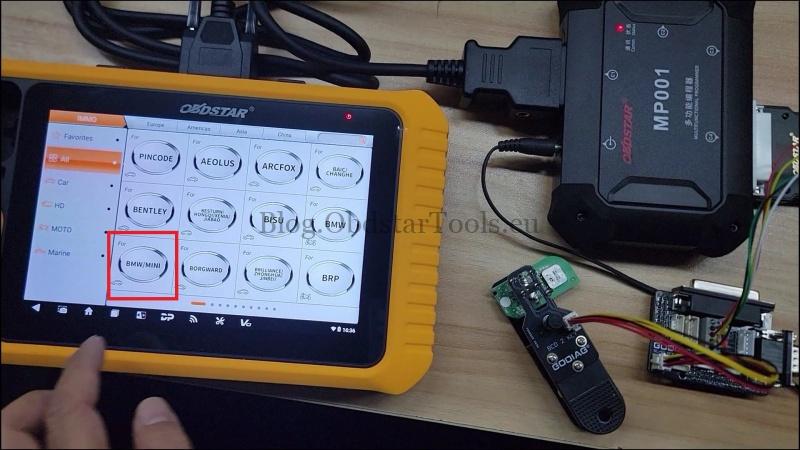
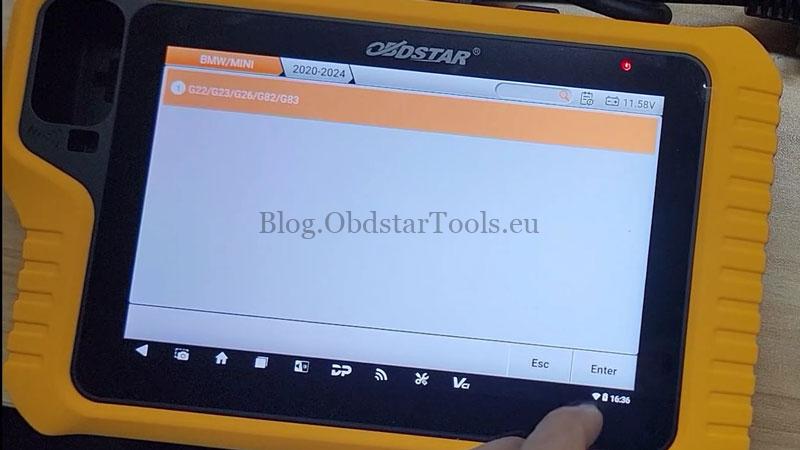
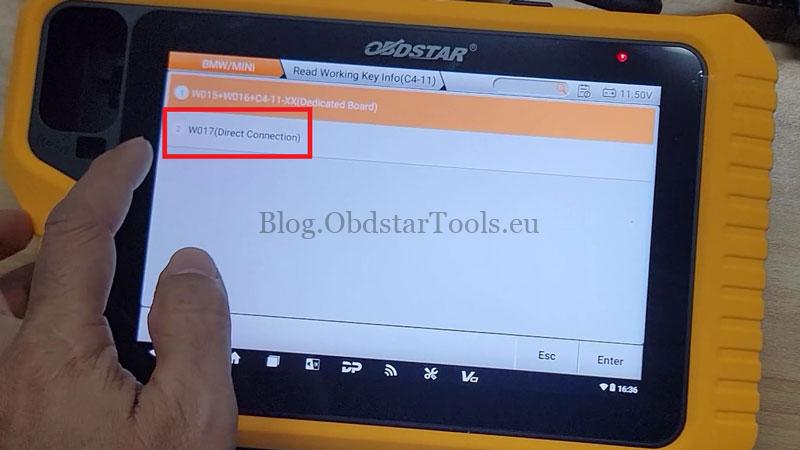
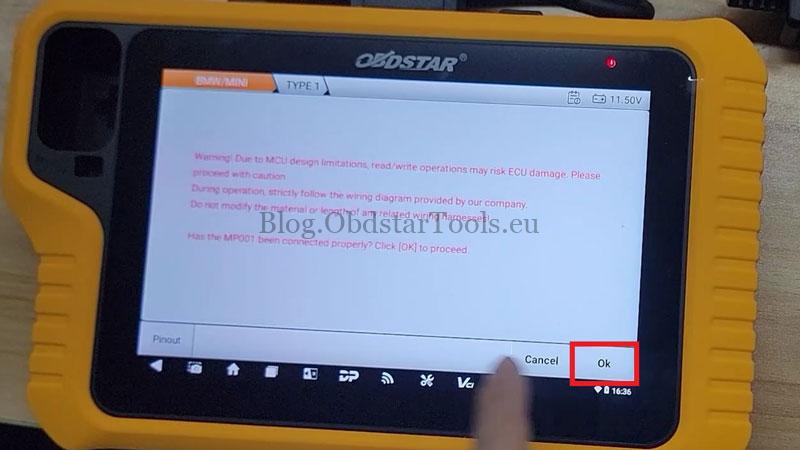
IMMO >> BMW/MINI >> Latest Version >> Manual Select Model >> BMW >> 4 Series >> 2020-2024 >> G22/G23/G26/G82/G83 >> Add Keys >> Read Working Key Info (C4-11) >> W017 (Direct Connection) >> TYPE 1
Read the warning message and press OK to proceed.
3. Read and Save BDC03 IMMO Data
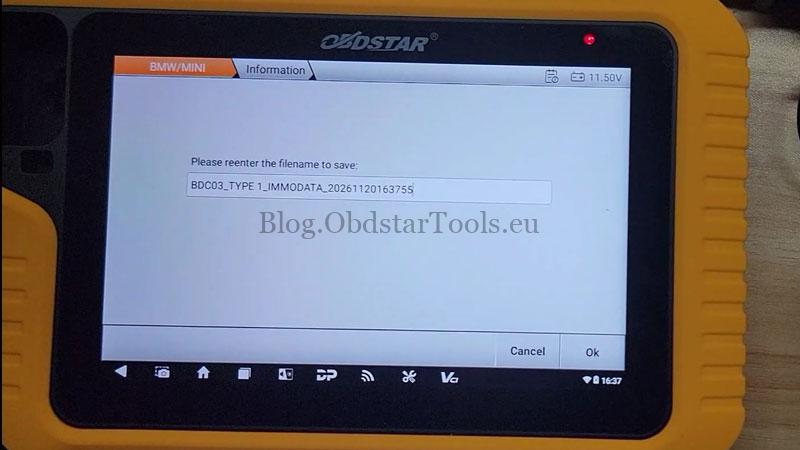
The X300 G3 will start reading the data. Once finished, the device displays:
Save BDC03 IMMO Data successfully.
Technical Support
Email: sales@obdstartools.eu
WhatsApp/Mobile/Wechat: +86 15972933706
Skype: OBDStarTools.eu
www.obdstartools.eu