
This guide explains how to read and write the Mercedes-Benz Bosch MP4 TCM MPC5566 + 95640 using the OBDSTAR ECU Master, including how to rewrite the VIN.
Required Tools
- Computer
- ECU MASTER C Configuration
- High-power DC regulated power supply
- USB cable
- Jumper wires
- Mercedes-Benz Bosch MP4 TCM MPC5566 + 95640
Watch Video Tutorial:
1. Select the ECU and Check the Wiring
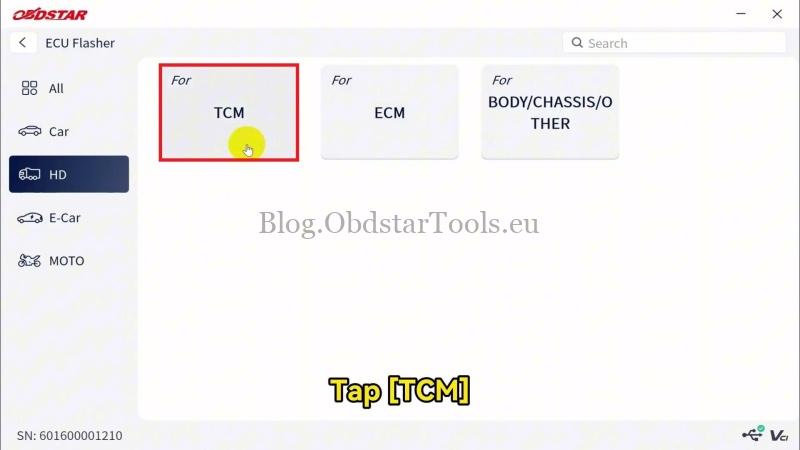
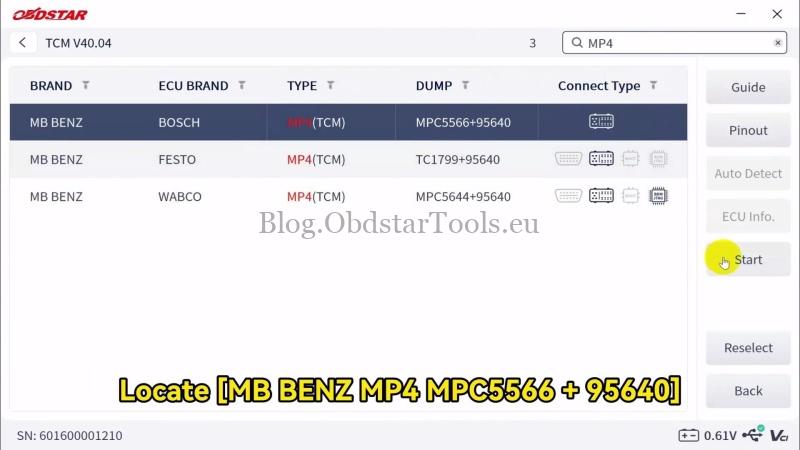
- Open ECU Flasher >> HD >> TCM >> Latest Version and search for the corresponding ECU model in the top-right corner. Select MB BENZ MP4 MPC5566 + 95640 >> Start >> BENCH >> OK.
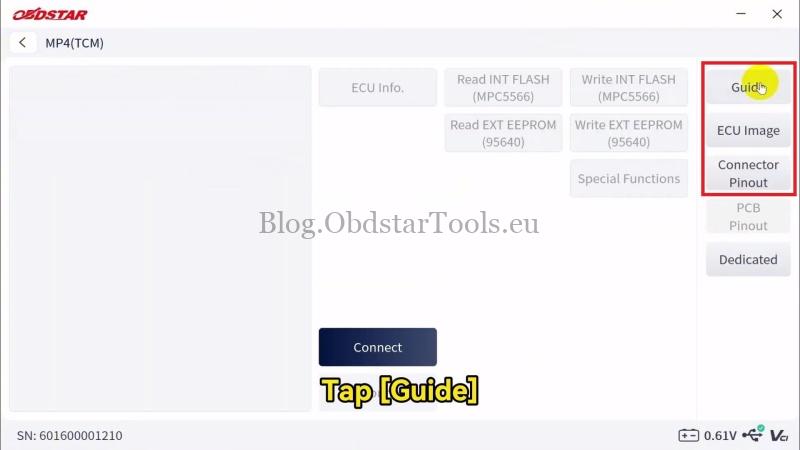
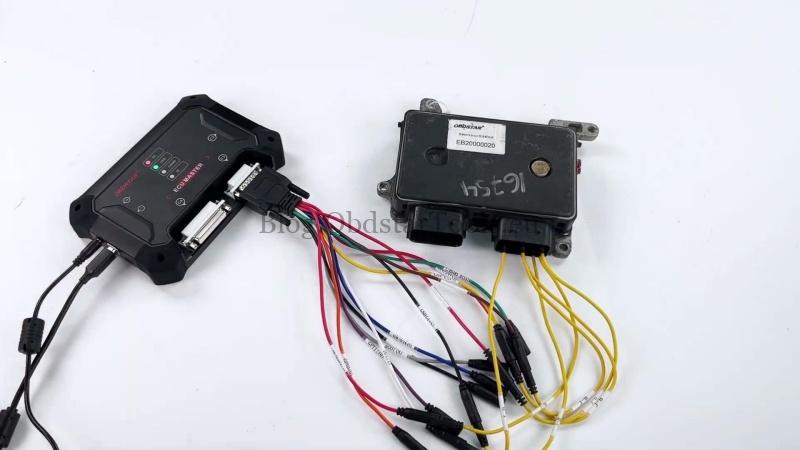
- Before connecting the wiring, check Guide for connection instructions and adapter diagrams, ECU Image to identify the ECU, and Connector Pinout for the correct wiring connections. Wire the ECU according to the pinout diagram.
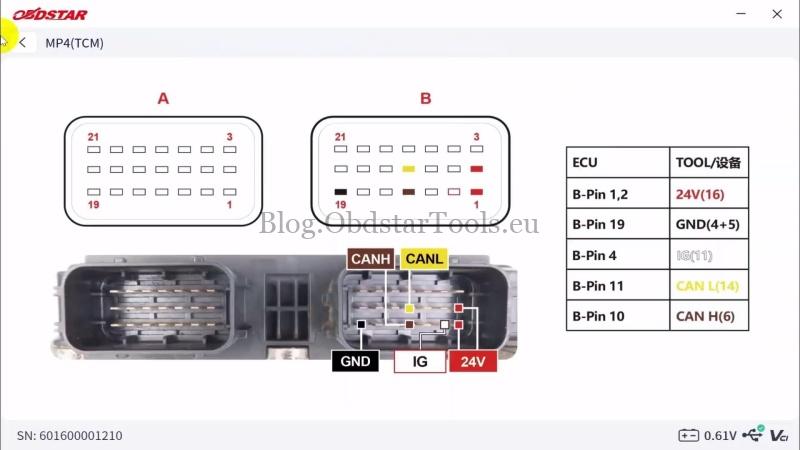
2. Connect the ECU
Click Connect. When ECU MASTER prompted to use a DC regulated power supply at 24V and at least 5A, confirm the power supply meets these requirements, then tap Yes. Check the left panel for confirmation that the ECU is connected successfully.
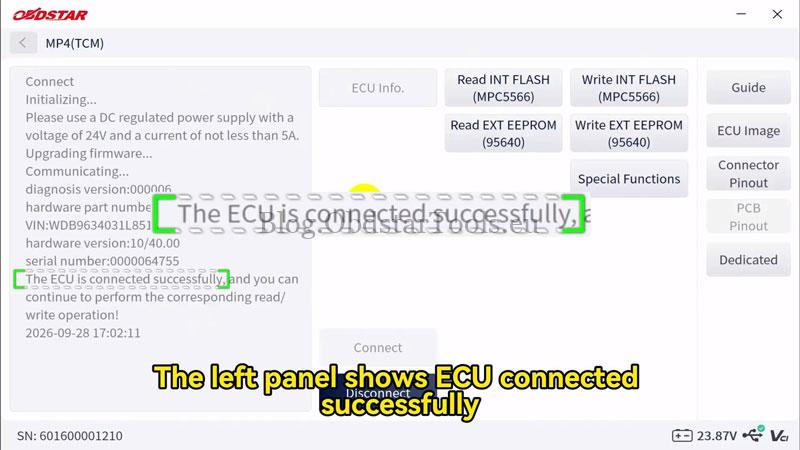
3. Read Flash and EEPROM Data
- Select Read INT FLASH (MPC5566), save the read file, and rename it for identification. Confirm that the data was read successfully.
- Select Read EXT EEPROM (95640) and save the read file.
4. Write Flash and EEPROM Data
- Select Write INT FLASH (MPC5566), choose the corresponding data file, and tap Yes. Wait for the successful write message.
- Select Write EXT EEPROM (95640) and choose the corresponding data file. Confirm that the write was successful.
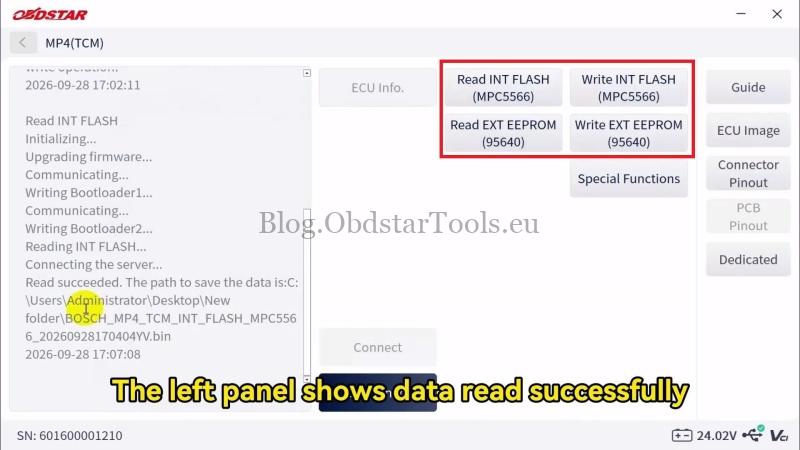
5. Rewrite the VIN
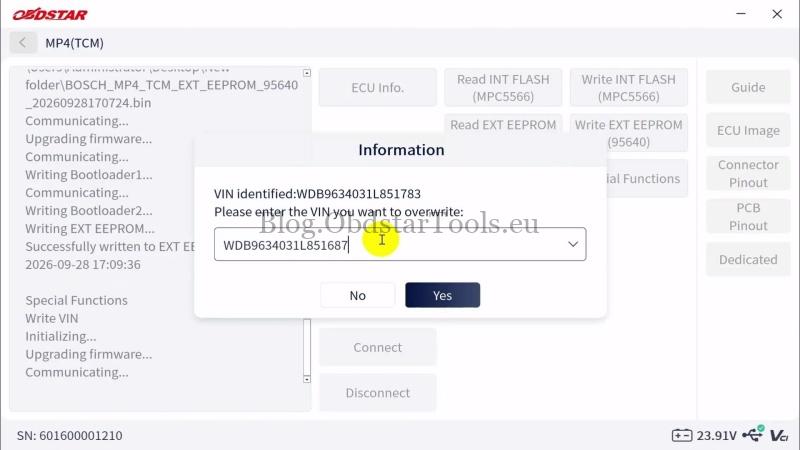
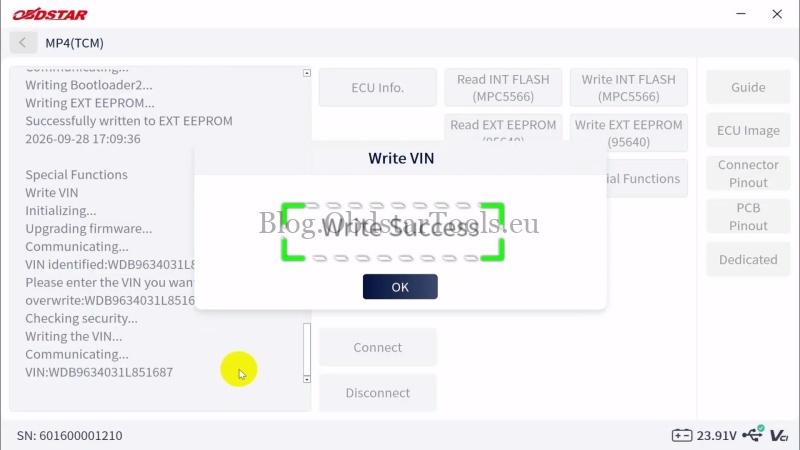
Open Special Functions >> Write VIN >> OK. Enter the new VIN and tap Yes. Confirm that the device reports the VIN was written successfully.
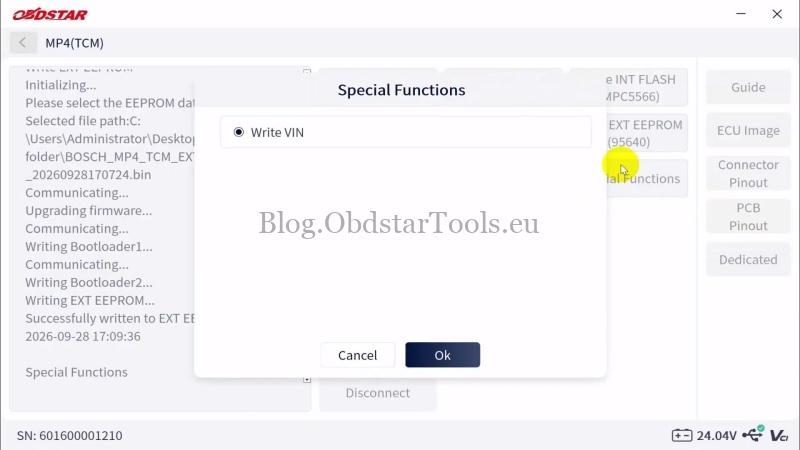
Final Check
After installation, check that the engine starts and basic vehicle functions operate normally.
Technical Support
Email: sales@obdstartools.eu
WhatsApp/Mobile/Wechat: +86 15972933706
Skype: OBDStarTools.eu
www.obdstartools.eu