
This job shows how to read and write data on an IVECO Bosch EDC7UC31 ECU using OBDSTAR ECU MASTER C in BENCH mode. The software provides the required wiring diagram and supports both Flash and EEPROM operations.
Prepare the Bench Setup
Prepare the following before starting:
- OBDSTAR ECU MASTER
- IVECO Bosch EDC7UC31 ECU
- Computer
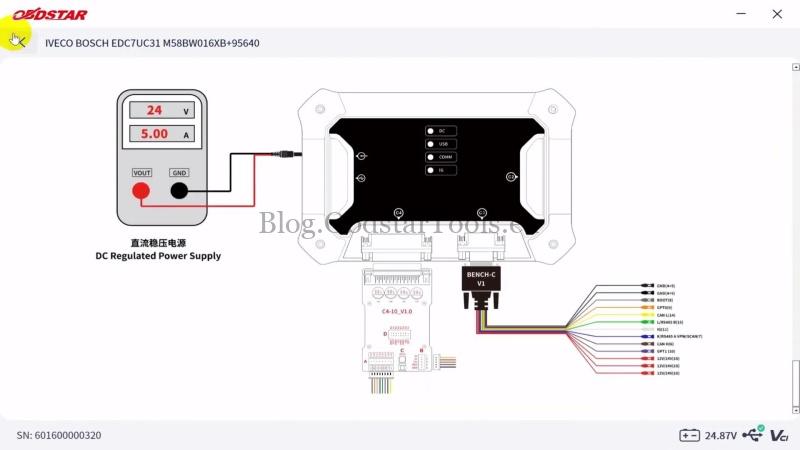
- High-power 24V DC regulated power supply (minimum 5A)
- USB cable
- Jumper wires
- 10μF 25V non-polarized capacitor (modify as required)
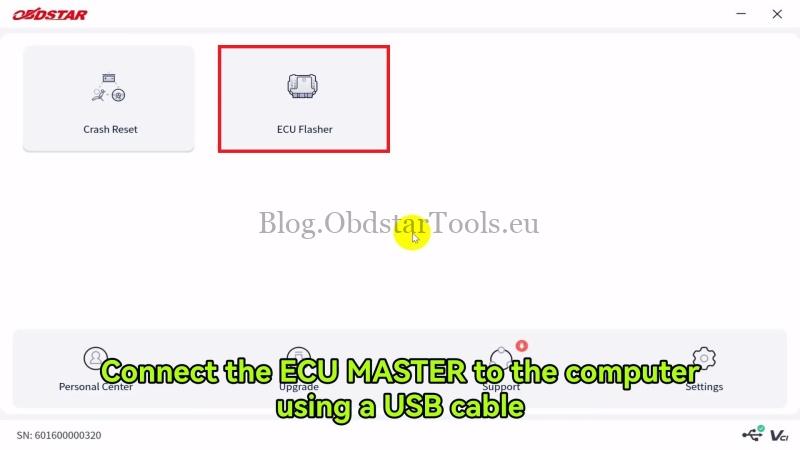
Connect the ECU MASTER to the computer with the USB cable.
Watch Video Tutorial:
Select the ECU & Connect
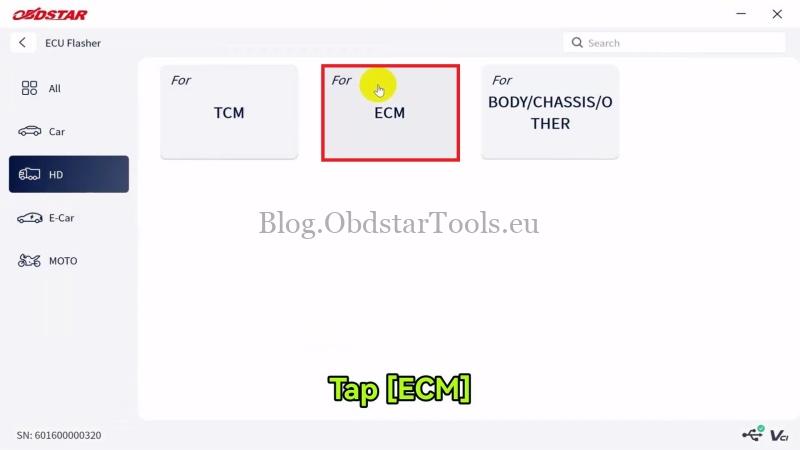
- Open ECU Flasher → HD → ECM → Latest Version.
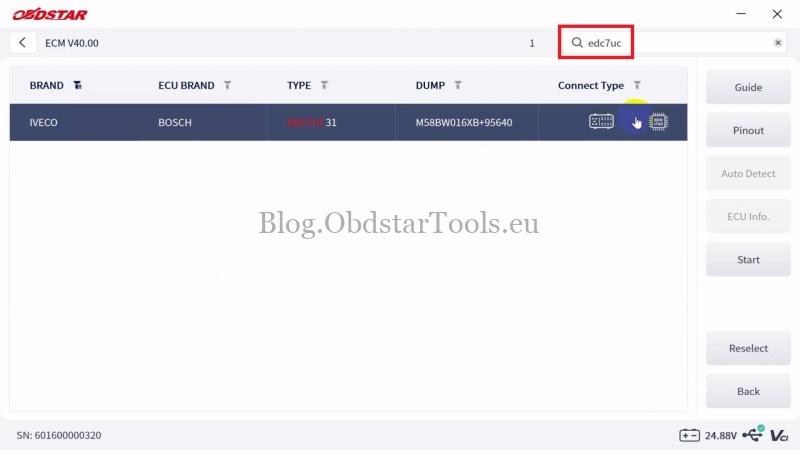
- Search for IVECO Bosch EDC7UC31, then select Start → BENCH → OK → Guide.
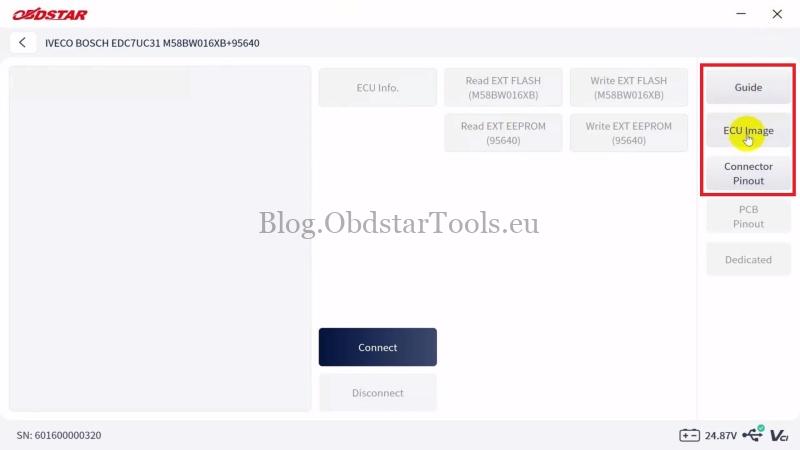
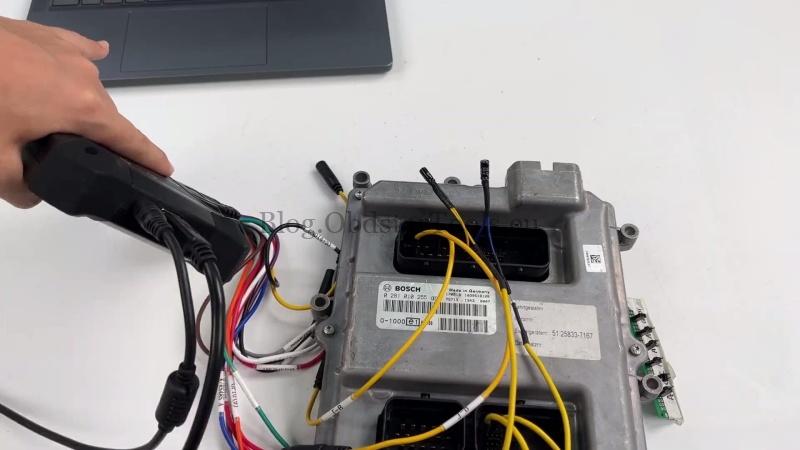
- Check the ECU image, connector pinout, and wiring diagram if needed, then connect the ECU according to the displayed diagram.
- Click Connect. When prompted, use a 24V DC regulated power supply (minimum 5A) and confirm to establish communication.
Read the ECU Data
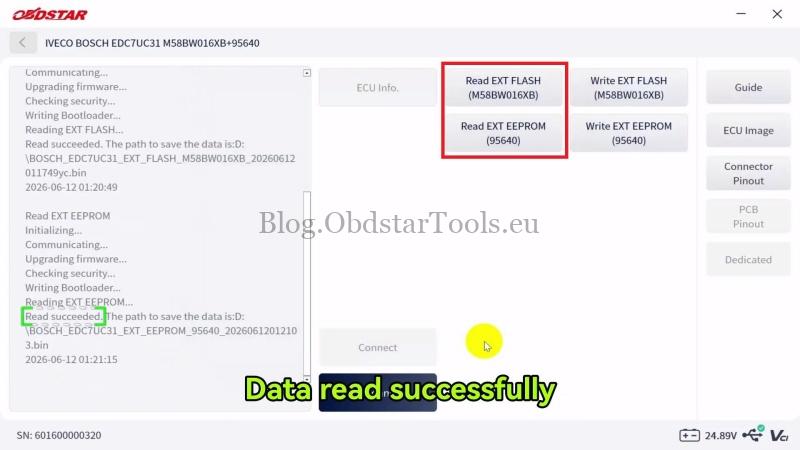
- After the ECU is connected, click Read EXT FLASH (M58BW016XB), choose a file name and save location, then wait for the read to complete.
- Next, click Read EXT EEPROM (95640), save the file, and wait until the operation finishes.
Write the ECU Data
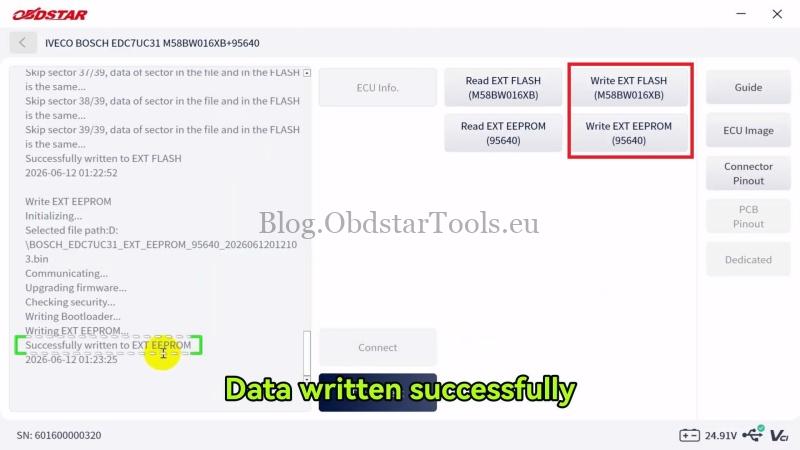
- Click Write EXT FLASH (M58BW016XB), load the required Flash file, and confirm to start writing.
- After the Flash is written successfully, click Write EXT EEPROM (95640), load the EEPROM file, and complete the write process.
Disconnect the ECU after both Flash and EEPROM operations are completed successfully.
Technical Support
Email: sales@obdstartools.eu
WhatsApp/Mobile/Wechat: +86 15972933706
Skype: OBDStarTools.eu
www.obdstartools.eu