
This guide shows how to add a new 8A smart key to a 2021 Ducati Multistrada V4 S using the OBDSTAR MotoMaster.
A working original key and a brand-new 8A key are required, and the motorcycle’s immobilizer system must be operating normally before programming.
Required Equipment
- OBDSTAR MOTO MASTER
- M001A Cable
- M041 Cable
- Working original key
- New blank 8A smart key
Key Programming Procedure
Step 1: Access the Hands Free System
On MotoMaster, navigate to:
MOTO Diag → DUCATI → Latest Version → Diagnosis → By Model → M → Multistrada V4 S E5 → 1262 → ASAHI DENSO – MY 21 → Manual Selection → Hands Free (Smart Key).
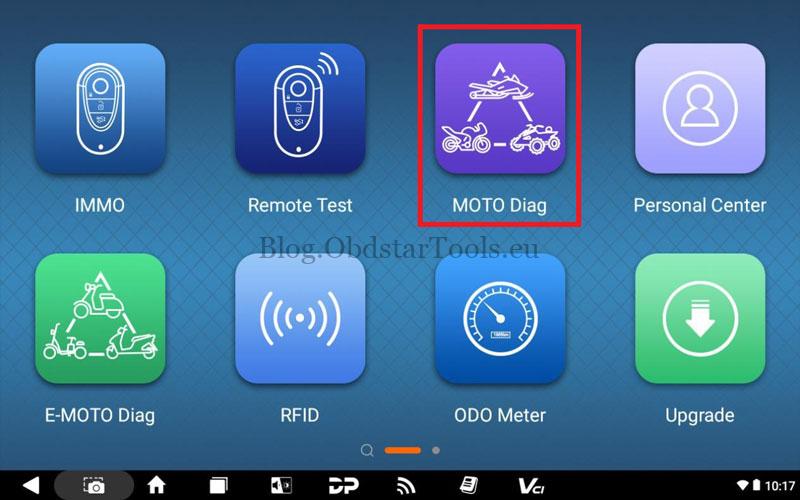
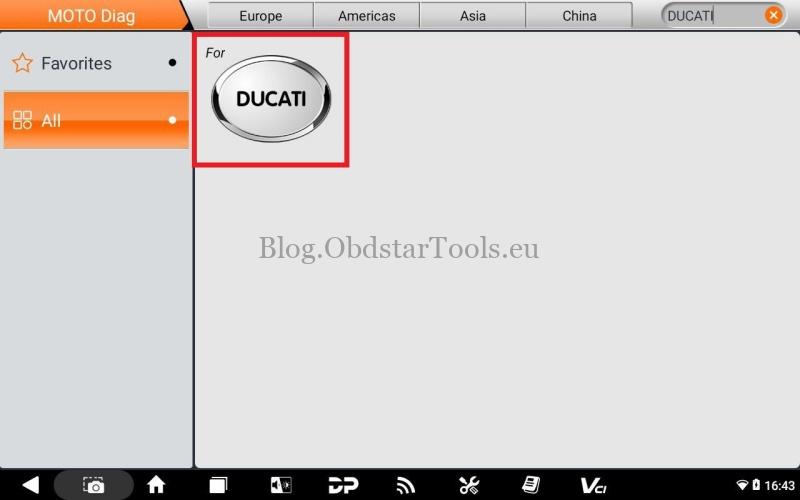
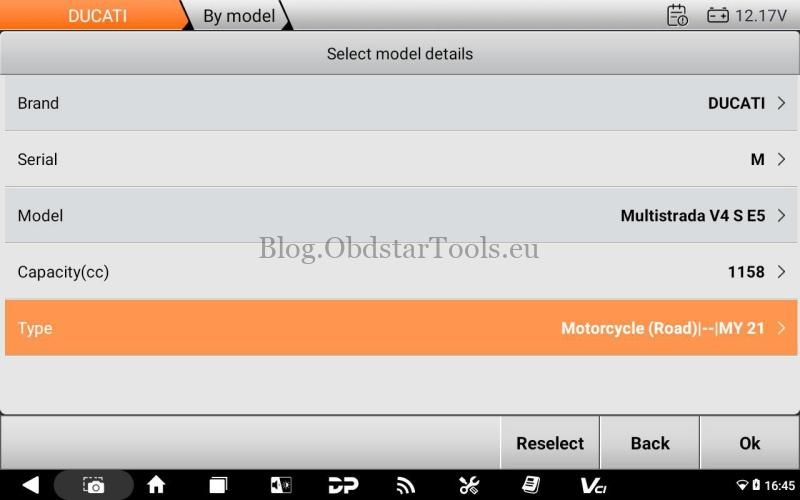
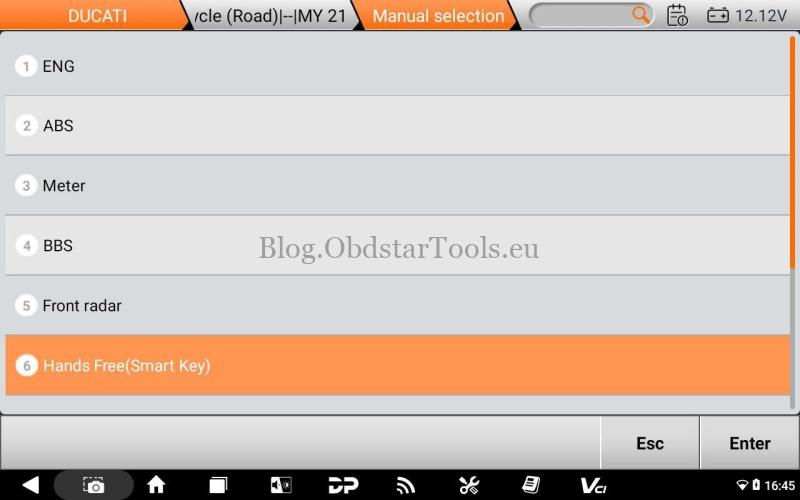
Step 2: Enter the Key Storage Function
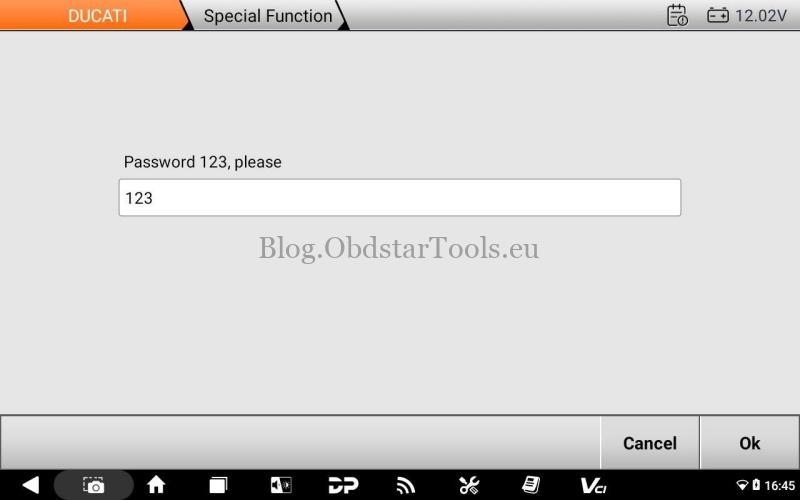
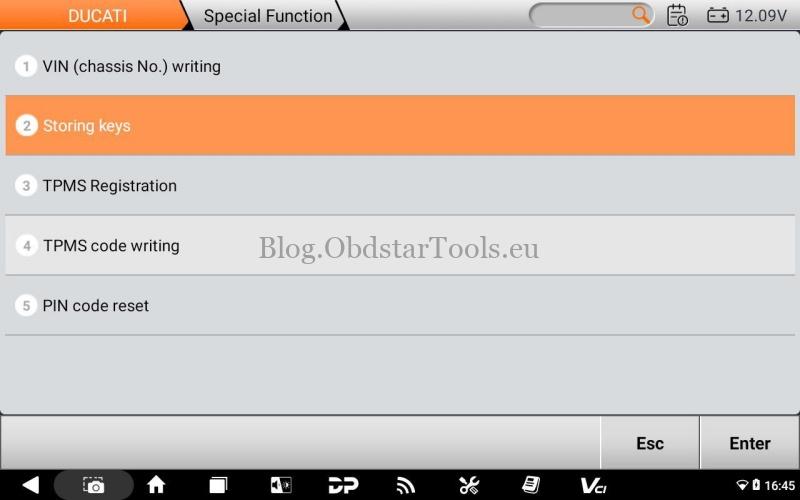
Select Special Function, enter password 123, and confirm.
Open Storing Keys and follow the on-screen instructions.
Step 3: Verify the Original Key
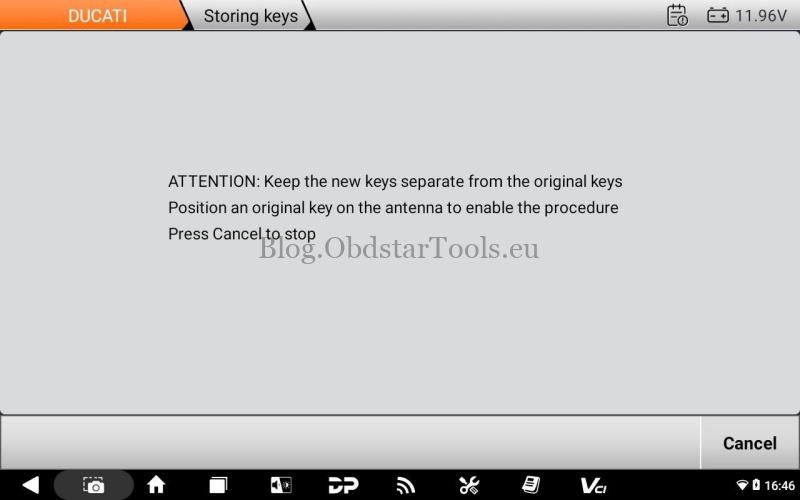
Keep the new key more than 3 meters away from the motorcycle.
Place the working original key at the antenna area near the front of the fuel tank, below the instrument cluster and close to the steering lock.
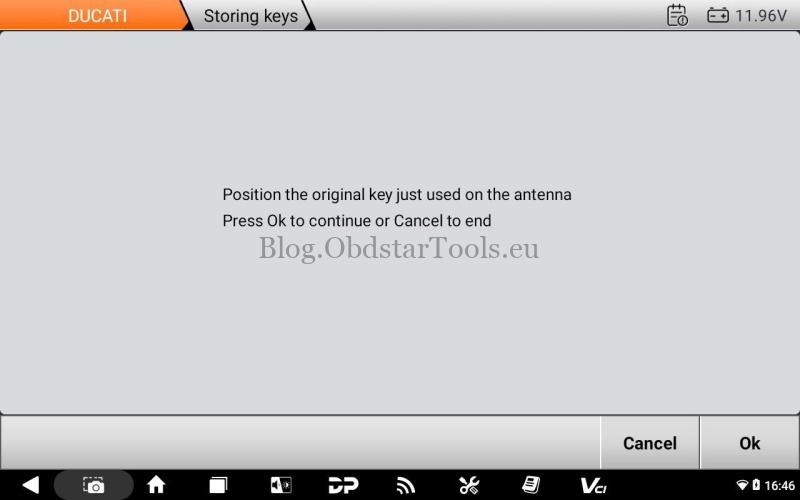
When prompted, confirm and allow the system to identify the key.
Step 4: Program the New Key
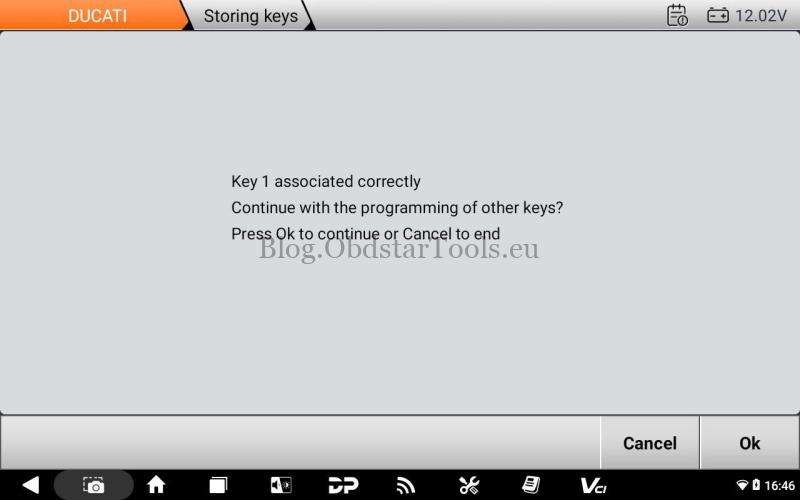
After the original key is successfully recognized, place the new blank 8A key at the same antenna location.
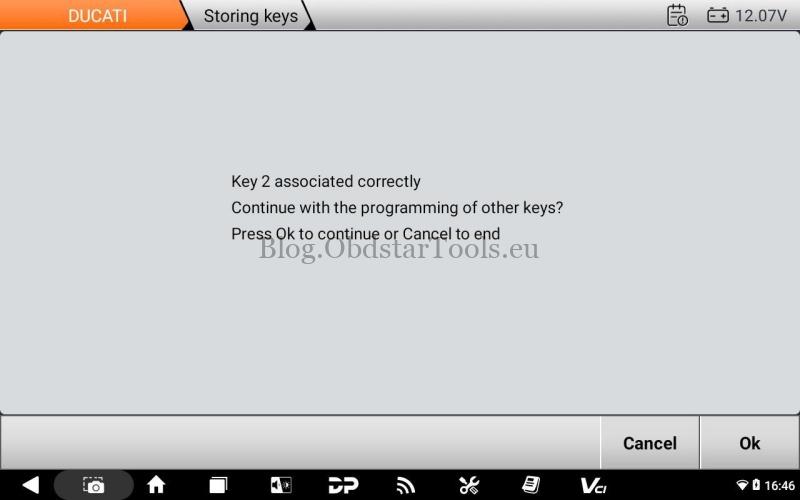
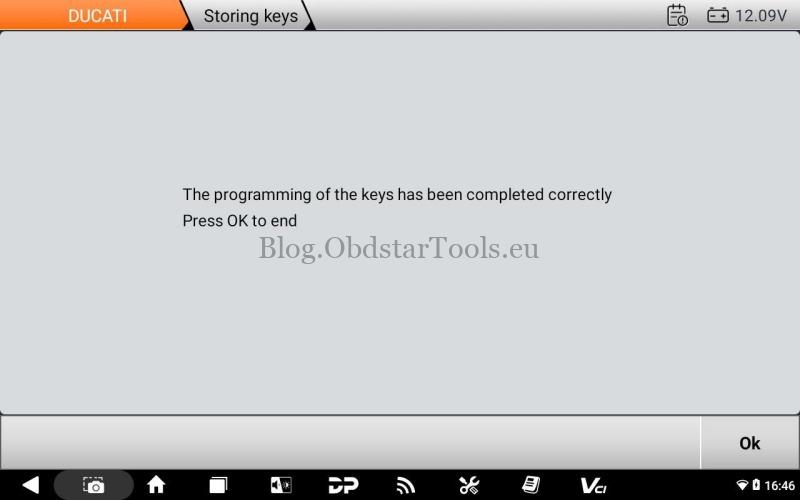
Wait for programming to complete. When the success message appears, select Cancel to finish or OK to continue programming another new key.
Verification
Check both the original key and the newly programmed key.
The motorcycle should power on and start normally, and the smart key system should operate correctly.
Technical Support
- Email: sales@obdstartools.eu
- WhatsApp/Mobile/Wechat: +86 15972933706
- Skype: OBDStarTools.eu
- www.obdstartools.eu