
For this Mercedes-Benz Continental PLD (MR A1-A6) C167CS, the OBDSTAR ECU MASTER handles the read/write work in BENCH mode. I used the BENCH-D-V1 and HD-001 cables for the connection.
Prepare the Tools
- ECU MASTER (with C configuration)
- Mercedes-Benz Continental PLD (MR A1-A6) C167CS ECU
- BENCH-DV1 Cable
- HD-001 Cable
- Computer
- USB Cable
- High-power DC regulated power supply
Watch Video Tutorial:
Connect the ECU on the Bench
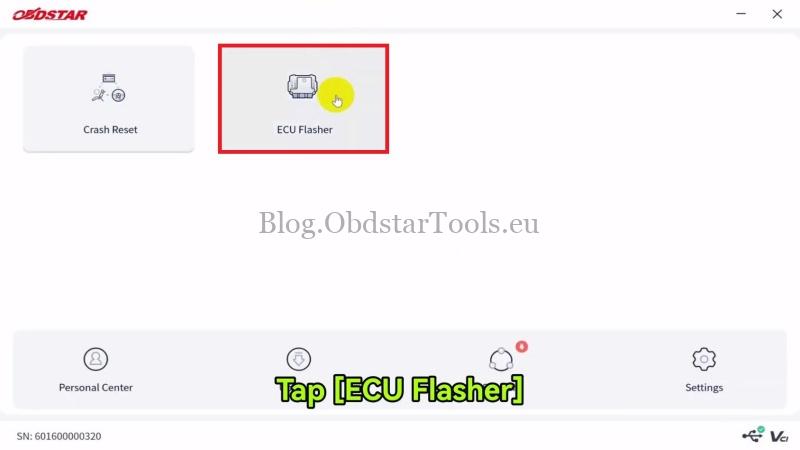
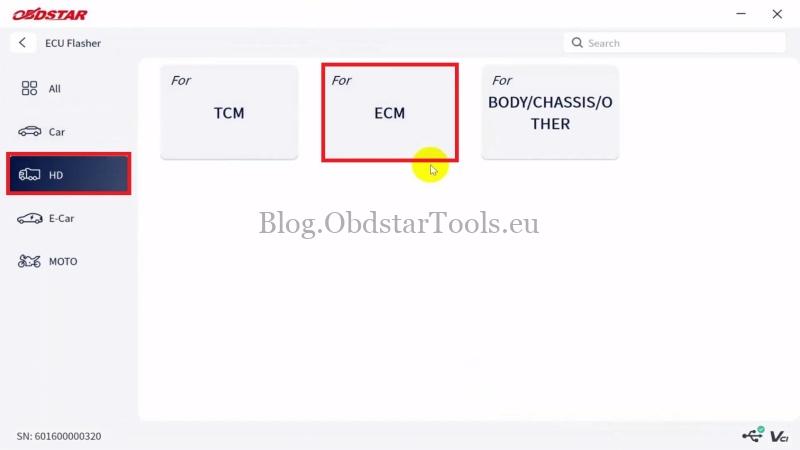
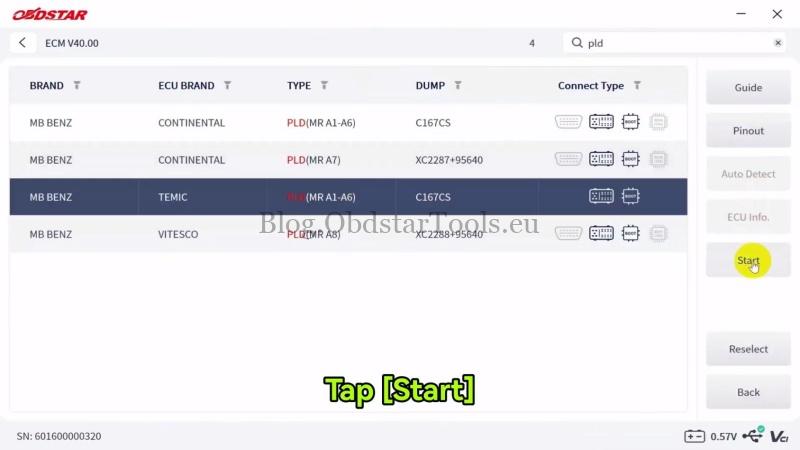
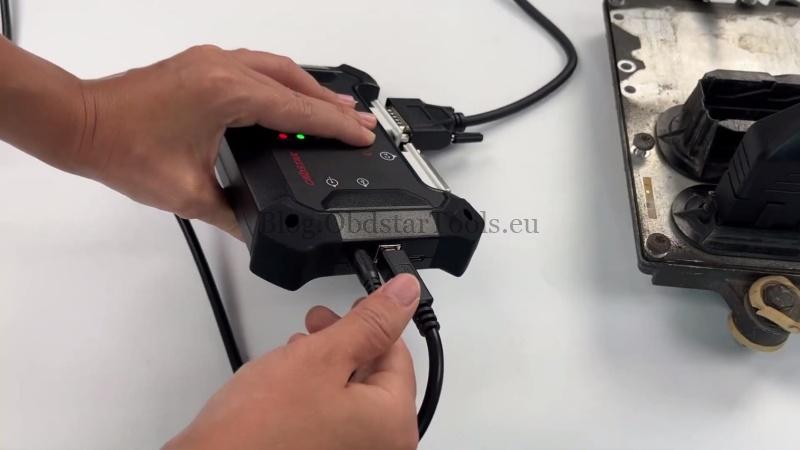
- Connect the ECU MASTER to the computer with the USB cable. Open ECU Flasher >> Accept >> HD >> ECM >> Latest Version >> MB BENZ, TEMIC, PLD(MR A1-A6), C167CS >> Start >> BENCH >> OK.
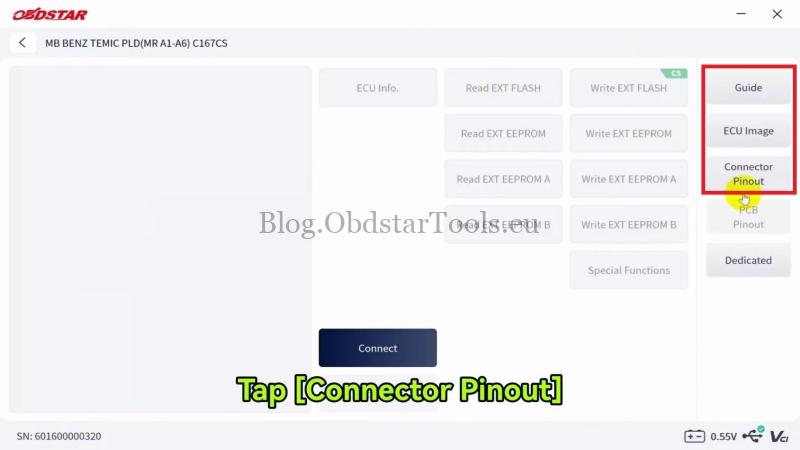
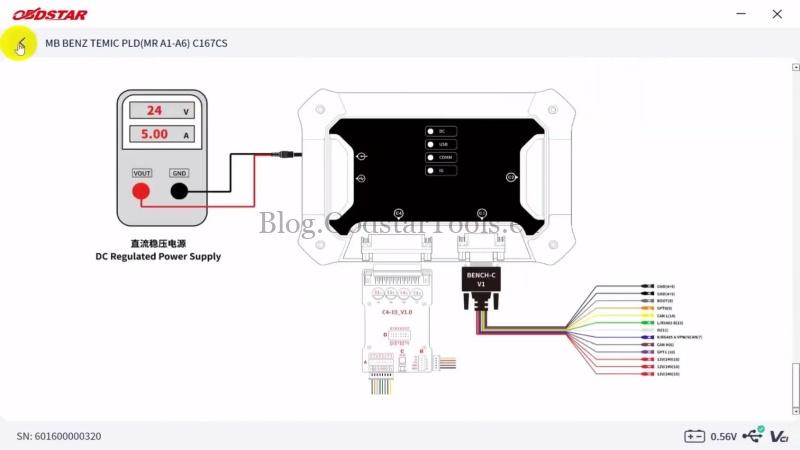
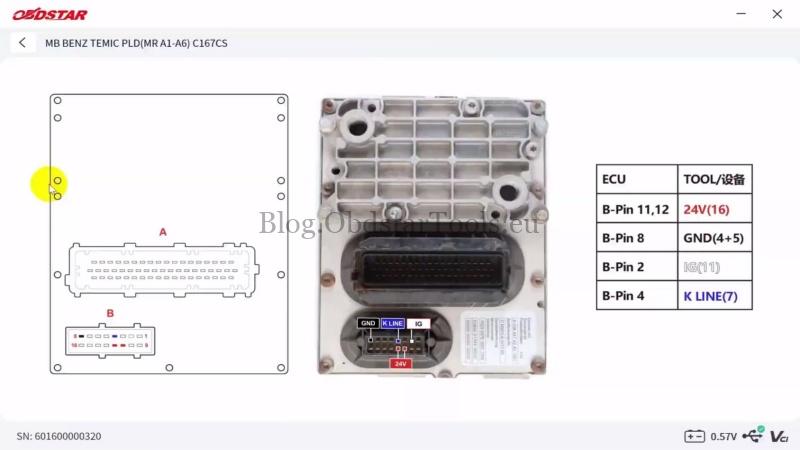
- Tap Guide to check the connection notes and wiring diagram. Then open ECU Image and Connector Pinout to connect the wiring.
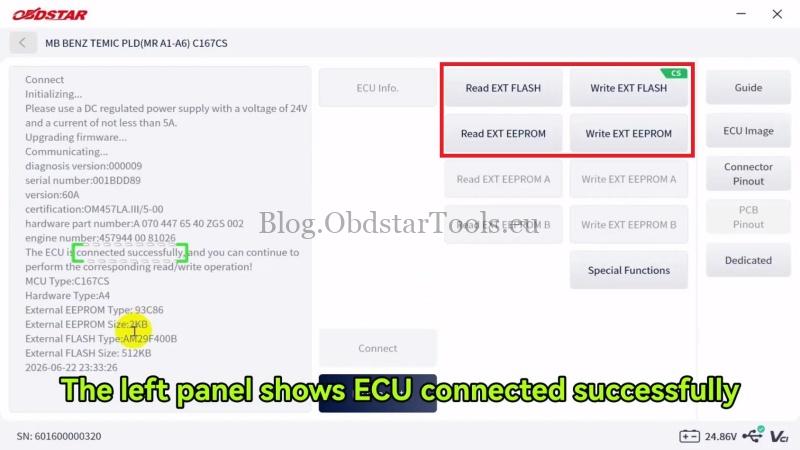
- After the wiring is connected, tap Connect. When prompted about the power supply, use a 24V DC regulated power supply with a current of at least 5A, then tap Yes. The left panel will show when the ECU is connected successfully.
Read the ECU Data
- Tap Read EXT FLASH, rename the read file if needed, and select the save path. Wait for the left panel to show that the data has been read successfully.
- Tap Read EXT EEPROM and save the data file. The left panel will show the successful read status.
Write EXT FLASH and EEPROM
- Tap Write EXT FLASH and select the required data file. When the system asks whether to continue writing, tap Yes and wait for the write to finish.
- Tap Write EXT EEPROM and select the required data file. The data will be written successfully.
Verification
After writing, confirm that the ECU can start the vehicle and that the basic vehicle functions work normally.
Technical Support
Email: sales@obdstartools.eu
WhatsApp/Mobile/Wechat: +86 15972933706
Skype: OBDStarTools.eu
www.obdstartools.eu