
In this case, we use the OBDSTAR Odomaster to calibrate the mileage on a 2020–2024 Chery Jetour X70 Plus with the S6J328 instrument cluster.
Watch Video Tutorial:
Prepare the Instrument Cluster
Before connecting the cluster, update the ODO MASTER software to the latest version. Prepare the following:
- ODO MASTER
- Main Cable
- Jumper Wires
- P004 Adapter
- High-Power DC Regulated Power Supply
- Jetour X70 Plus instrument panel F18-7911075HA
Select the S6J328 Cluster
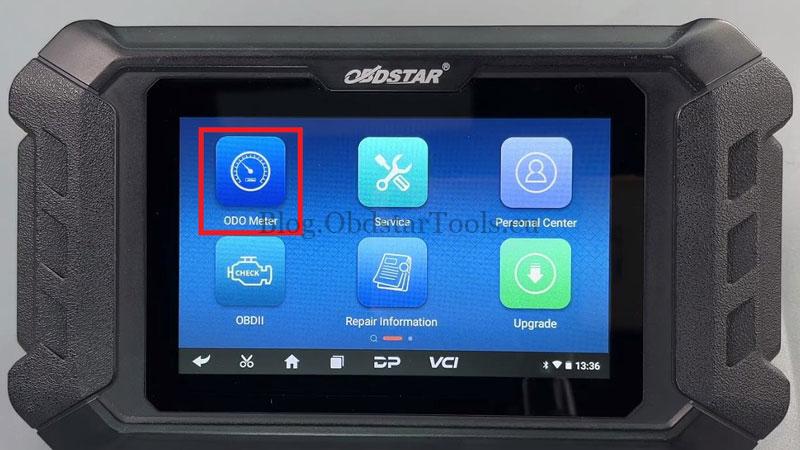
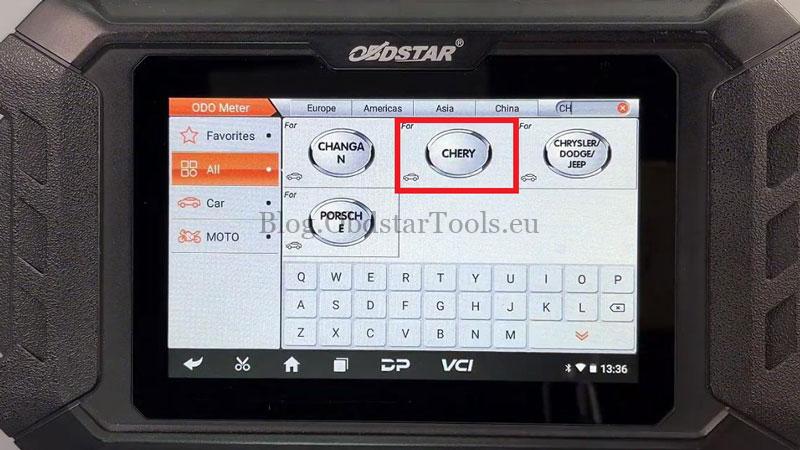
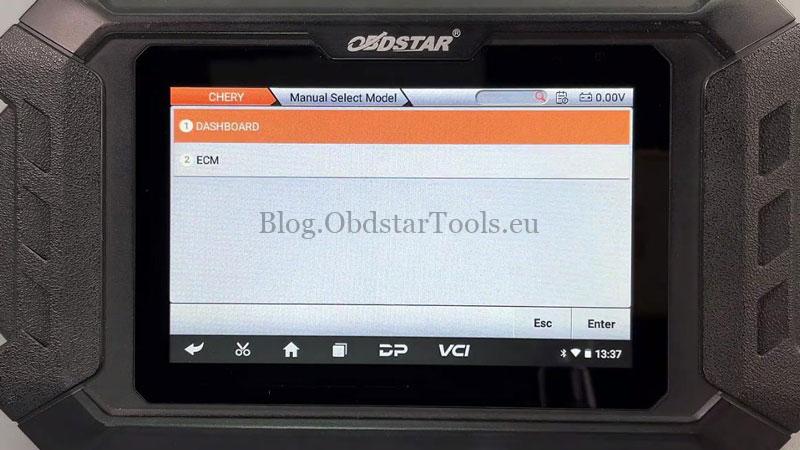
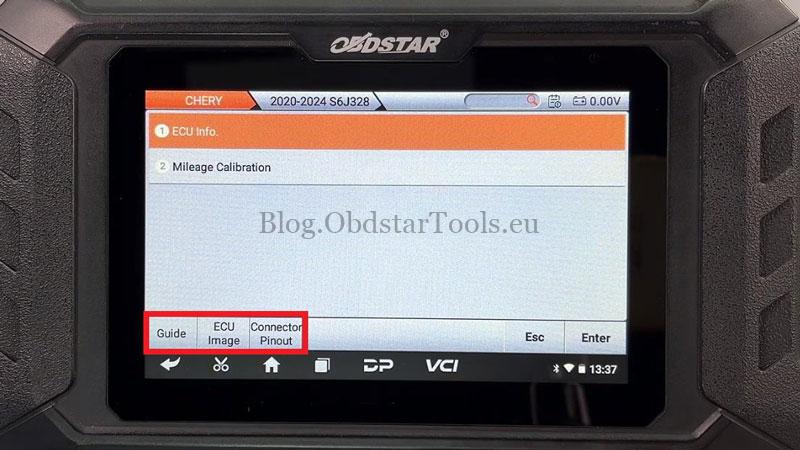
- Go to ODO Meter >> CHERY >> Latest Version >> Manual Select Model >> DASHBOARD >> JETOUR X70 PLUS >> 2020-2024 S6J328.
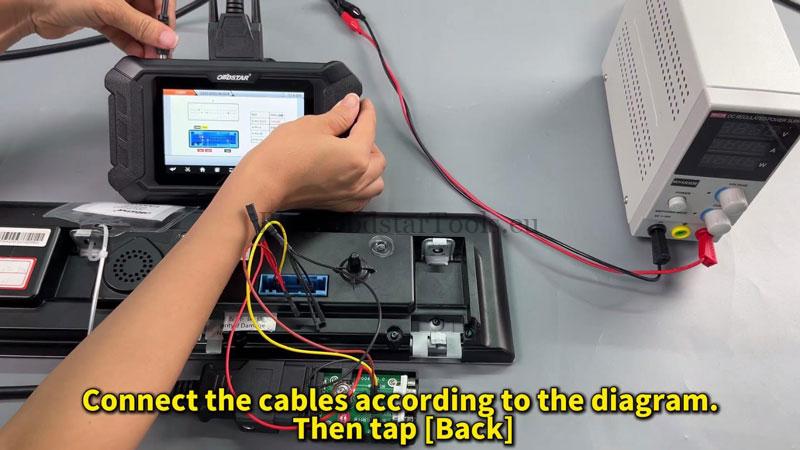
- Tap [Guide] and scroll down to the connection diagram. Tap [ECU Image] for module information, then [Connector Pinout] to confirm the cluster appearance matches.
- Connect the cables according to the displayed wiring diagram.
Read and Calibrate the Mileage
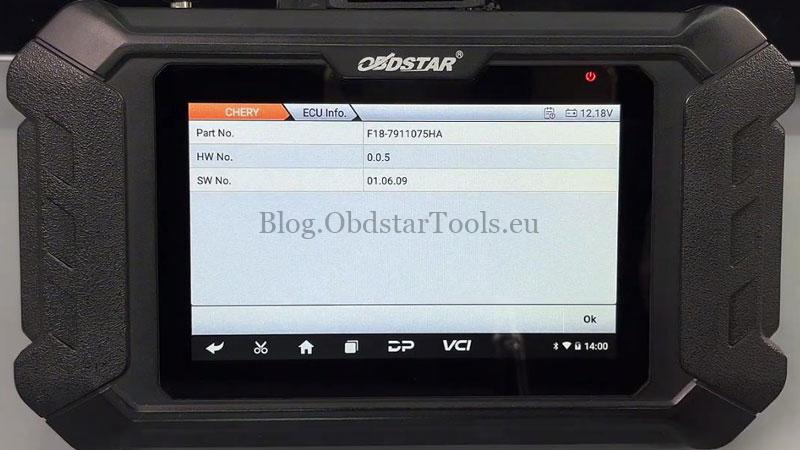
- Read the ECU information first and confirm that the cluster details match. Then tap [Mileage Calibration].
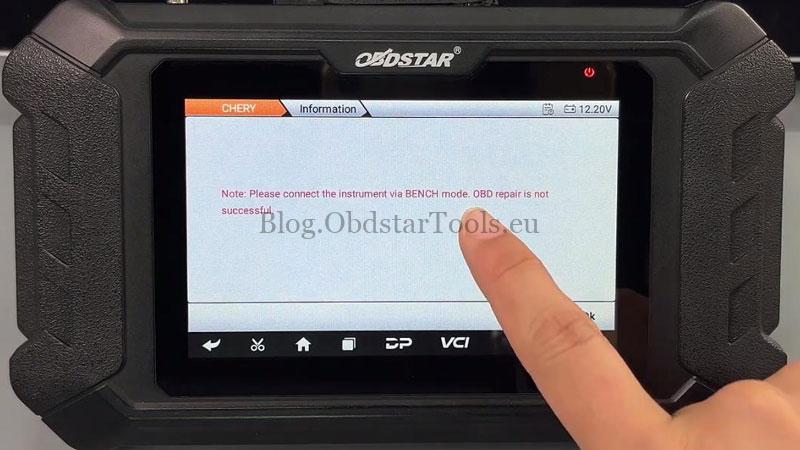
- If the tool displays “Please connect the instrument via BENCH mode. OBD repair is not successful.”, tap OK, then Start to continue the BENCH procedure.
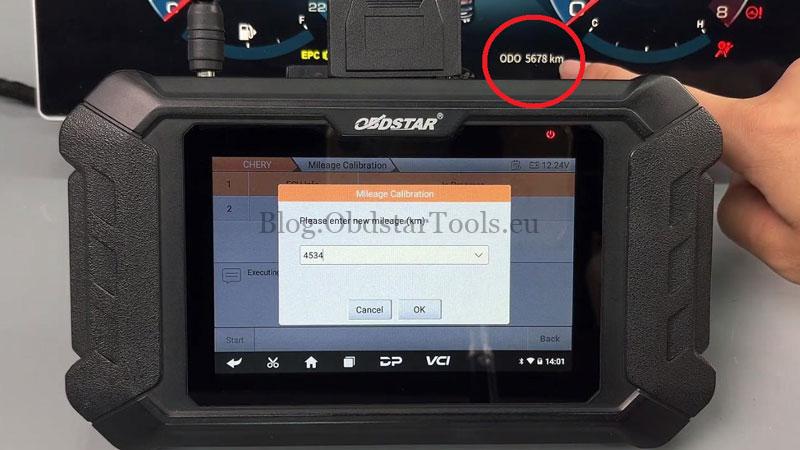
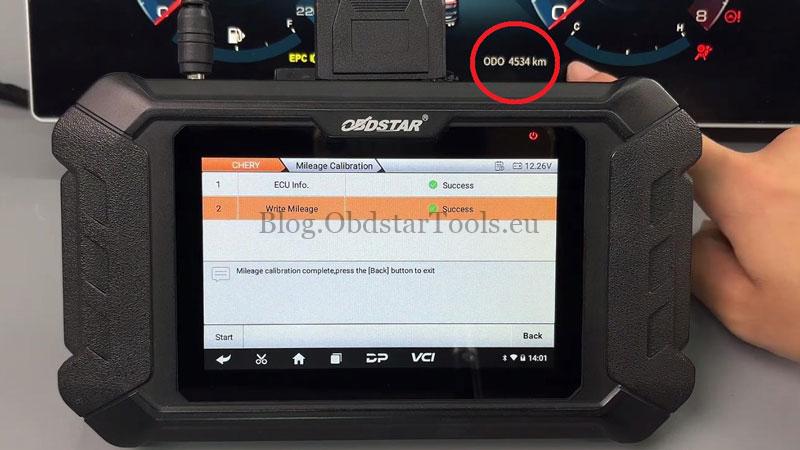
- Enter the new mileage, for example 4534 km, and tap OK to confirm. The tool will modify the mileage data.
Verify the Result
Check the instrument cluster. The displayed mileage should now read 4534 km. The vehicle should start normally, with the basic cluster functions operating correctly.
Workshop Notes: Always confirm the instrument cluster version and connector layout against the tool’s wiring information before making the connection.
Contact Info:
Email: sales@obdstartools.eu
WhatsApp/Mobile/Wechat: +86 15972933706
Skype: OBDStarTools.eu
www.obdstartools.eu